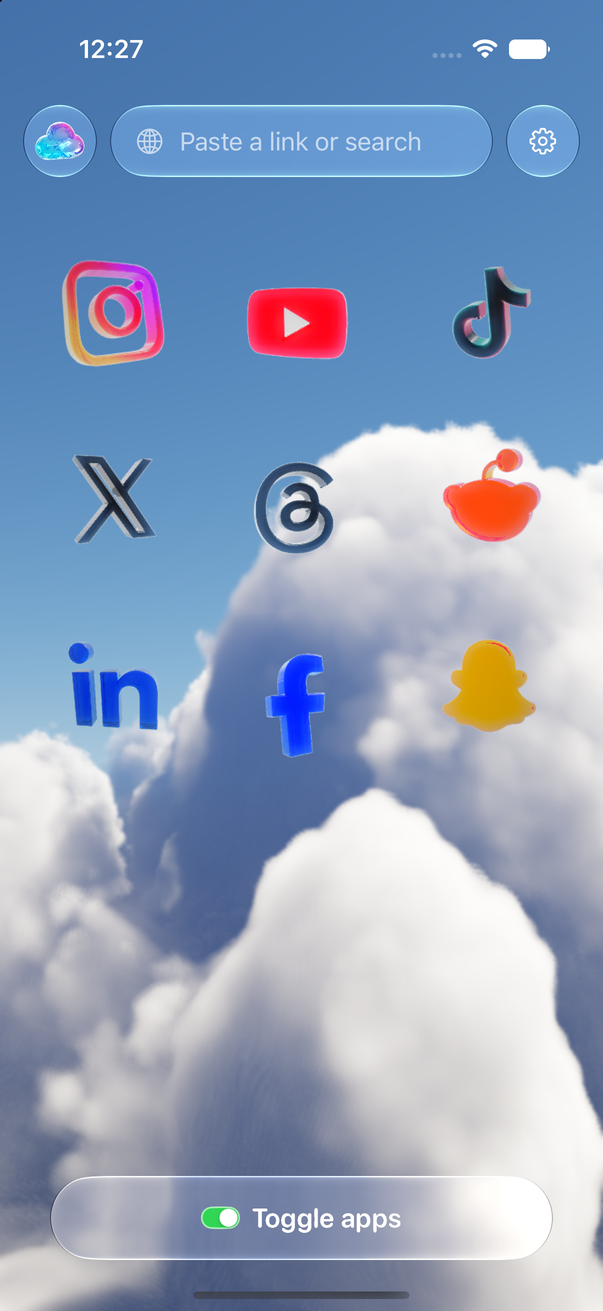
Toggle (toggle.social) is an iPhone app that opens Instagram, YouTube, TikTok, X, Threads, Reddit, LinkedIn, Facebook and Snapchat inside one app, with the parts built to keep you scrolling switched off: Reels, Shorts, For You feeds, Explore, suggested posts, like counts and more, chosen app by app. Messages, posting, profiles, search and notifications keep working. This page is about the short-video feeds only: what each app lets you do about its own, and what Toggle does instead. If you want one app's feed in detail, the per-app pages are linked from the table.
Every short-video feed and what turns it off
Checked against each company's help pages on October 24, 2026. "None" means the help pages describe no setting that removes the feed; the controls listed shape it or hide single videos.
| Feed | Where it reaches you | Native control (checked 2026-10-24) | Toggle on iPhone | Toggle for Chrome |
|---|---|---|---|---|
| Instagram Reels | Reels tab, Home, Explore | None. Not interested on a post; Snooze suggested posts in Feed for 30 days | Hide Reels, locked | Reels switch |
| Facebook Reels | Feed and the Video tab; since September 2025 every Facebook video is a reel | None. Interested, Not Interested, Hide reel | Hide Reels and Hide Watch, locked | Reels and Watch switches |
| YouTube Shorts | Shorts tab, Home shelf, search, channel pages, Subscriptions | Show fewer Shorts on the Home shelf; no length given; cleared in My Activity | Hide Shorts, locked | Shorts switch |
| TikTok For You | The first feed on opening | None. Not interested, keyword filters, topics, Refresh your For You feed | Hide For You, locked; opens on Following | For You switch |
| X video feed | X's video tab | None for the feed; an autoplay setting under Settings and privacy | Hide Videos, locked | Videos switch |
| Snapchat Spotlight | Spotlight tab at the bottom | None for adults. Hide on a Snap; Family Center's Hide Sensitive Content for a teen | Never shows: Snapchat in Toggle is chat only | Grayscale only |
"Locked" is Toggle's word for a switch that is on from the first load and can't be turned off for good. It can be shown for five minutes at a time from the options sheet or Settings, and it turns itself back on at the deadline.
What Instagram lets you do about Reels
Instagram's help page on the reels you may see lists where they appear (the Reels tab, Explore and your feed) and how they're recommended, and names no setting that turns them off. The one control with a time on it belongs to the feed, not to Reels: tapping Options on a suggested post offers Not interested, Don't suggest posts from this account, and Snooze, which pauses suggested posts in your Feed for 30 days. Reels keep their tab and keep arriving in Explore. The Instagram without Reels page lists every place they reach you.
What Facebook lets you do about Reels
Facebook's help page for the Reels feed offers Interested, Not Interested and Hide reel from the More menu while watching, and says the effect on your feed "will diminish over time". It also notes that since September 2025 all videos on Facebook are shared as reels, whatever their length or orientation, so a Facebook without reels is a Facebook without video. Nothing turns the feed off. Facebook without Reels covers the tab, Feed and the Video tab one by one.
What YouTube lets you do about Shorts
YouTube's recommendations help page is the closest to a setting: on the Home feed, at the top of a grid of Shorts, tap More, then Show fewer Shorts. The page says this applies to pages "such as your Home and Watch Next" and gives no length for the choice; to undo it you delete the entry under Other activity in My Activity. YouTube's own Shorts page lists where viewers find them: the Shorts tab, search results, the homepage, channel pages, Subscriptions and notifications. The shelf control touches one of those. YouTube without Shorts goes through each entry point.
What TikTok lets you do about For You
TikTok's support page says For You "is the first feed you'll see when you open TikTok". Its controls shape the feed: Not interested on a post, keyword filters for For You and Following, topic preferences, and Refresh your For You feed (Profile, Menu, Settings and privacy, Content Preferences), which resets recommendations to popular content and "can't be undone". None of them changes which feed opens. Toggle opens TikTok on Following; TikTok with only the people you follow describes what that is like.
What X and Snapchat let you do
X's help page on videos describes an autoplay setting under Settings and privacy, and X's timeline page describes switching between For you and Following. Neither mentions a way to remove the video feed. In Toggle, X's Hide Videos switch is locked on.
Snapchat's page on how Spotlight ranks content says that if you "skip, report or hide content" it learns from that; the only broader control is a parent's, in Family Center, where Hide Sensitive Content "limits sensitive or suggestive content in places like Stories and Spotlight" for a teen. Snapchat in Toggle is Snapchat for Web, which is chats and calls only, so Spotlight, Stories and the Map never show.
How to block Reels and Shorts in every app with Toggle
- Install Toggle from the App Store (iPhone, iOS 17 or later) and go through onboarding, which explains the locked switches.
- Open an app from the launcher and sign in with your own account. The cookies stay on your iPhone; Toggle has no account system.
- Nothing to switch: Hide Reels, Hide Shorts, Hide For You, Hide Videos and Hide Watch are on from the first load. Hold the Toggle switch at the bottom of any app to see the options sheet, where the rest (Explore, suggested posts, like counts, comments, Stories) are set per app.
- Optional: in Settings, Choose apps, pick the real apps under Social and Entertainment. A chosen app then shows a Screen Time shield with "Open in Toggle". It's self-control, not parental control; "Unblock for 5 minutes" is one tap away.
- Optional: Settings, Add to Home Screen puts an icon per app on your Home Screen, so the clean version sits where the old one did.
Where Toggle is not the answer
Toggle is iPhone only; there is no Android app. The iPhone app is free to download and paid after the 7-day trial ($6.99 a week or $99 a year in the US, checked October 24, 2026; see pricing). Each app opens as its own mobile website inside Toggle, so a few app-only features may be missing, and when a site changes a switch can stop working until Toggle updates. Toggle doesn't change the real apps; it replaces them. If what you want is a timer on the real apps rather than a version without the feeds, Apple's Screen Time App Limits do that on their own.
On a computer, the free Toggle for Chrome has the same switches per site, two that cover every site (hide like counts everywhere, hide every endless feed), and a Toggle switch at the top of the popup that brings everything back for 20 minutes. A Safari version is coming to the Mac App Store.
Questions
How do I block just Reels and keep the rest of Instagram?
Instagram has no setting for it. Toggle opens Instagram with Reels hidden from the first load and keeps your feed, Stories, messages, profiles, search and notifications. The details are on the Instagram without Reels page.
Is there an app that blocks Reels and Shorts on iOS?
Toggle is one. It opens Instagram, Facebook, YouTube, TikTok, X, Threads, Reddit, LinkedIn and Snapchat inside one iPhone app with their short-video feeds switched off, and it can block the real apps with Apple's Screen Time so the clean version is the one you open.
Does YouTube's Show fewer Shorts turn Shorts off?
No. YouTube's help page says it applies to the grid of Shorts on the Home feed, and the Shorts tab, search results and channel pages still show them. The page gives no length for the choice; you can clear it in My Activity.
Can I turn off TikTok's For You page?
No. TikTok's support pages offer Not interested on a post, keyword filters, topic preferences and a one-time Refresh your For You feed, which can't be undone. The feed itself stays the first thing you see. Toggle opens TikTok on Following instead.
Can I show Reels or Shorts again in Toggle for a moment?
Yes. These switches are locked: from the options sheet (hold the Toggle switch at the bottom of any app) or Settings, a locked switch can be shown for five minutes at a time, and it turns itself back on at the deadline.
Does this work on Android or on a computer?
The iPhone app is iPhone only. On a computer, the free Chrome extension has a switch per site for Reels, Shorts, For You, X's Videos and Facebook's Watch, plus one switch that hides every endless feed.
Sources
- Instagram Help: What kind of reels you may see on Instagram (accessed 2026-10-24)
- Instagram Help: Hide suggested posts in your Instagram Feed (iPhone) (accessed 2026-10-24)
- Facebook Help: Manage your Facebook Reels feed (iPhone) (accessed 2026-10-24)
- Facebook Help: What are reels on Facebook (accessed 2026-10-24)
- YouTube Help: Manage your recommendations and search results (accessed 2026-10-24)
- YouTube Help: Get started creating YouTube Shorts (accessed 2026-10-24)
- TikTok Support: For You (accessed 2026-10-24)
- TikTok Support: Refresh your For You feed (accessed 2026-10-24)
- X Help Center: How to share and watch videos on X (accessed 2026-10-24)
- Snapchat Support: How We Rank Content on Spotlight (accessed 2026-10-24)
- Snapchat Support: How do I restrict content for my teen in Family Center? (accessed 2026-10-24)