
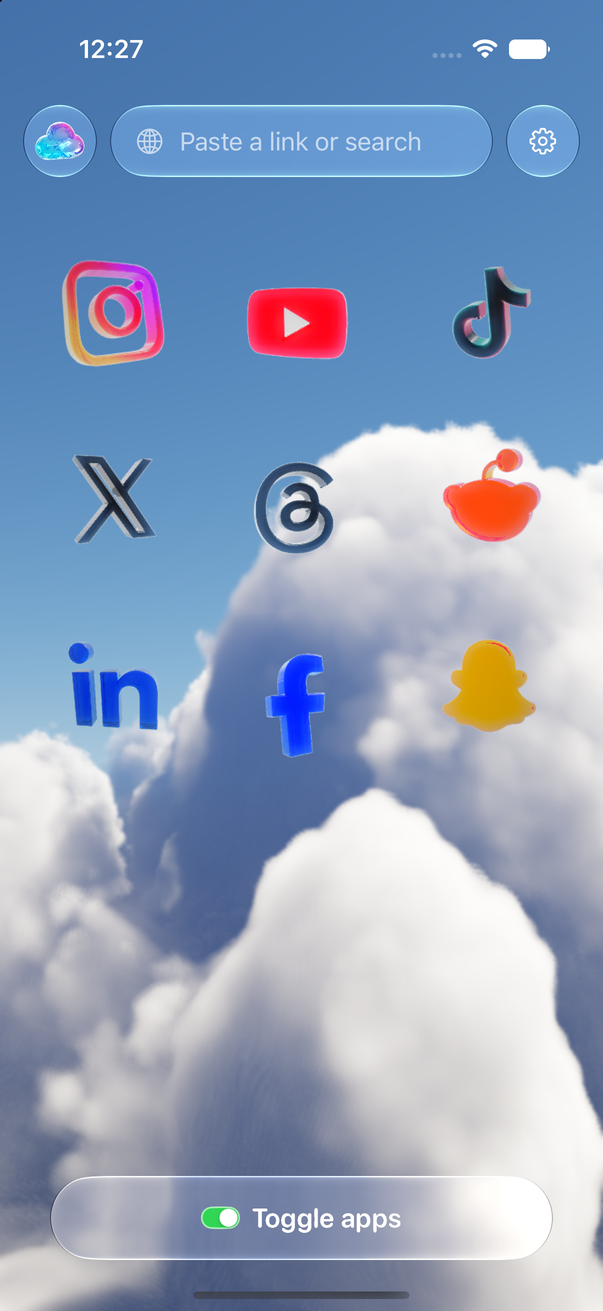
Toggle (toggle.social) is an iPhone app that opens Snapchat, Instagram, YouTube, TikTok, X, Threads, Reddit, LinkedIn and Facebook inside one app with the parts built to keep you scrolling switched off. Snapchat is the simplest case of the nine: Toggle opens Snapchat for Web, signed in with your own account, and it opens on Chats. Chats and calls work. Spotlight, Stories and the Map never show. There is no feed to switch off because none loads. This page maps every Snapchat surface against what Snapchat's own settings can do and what you keep and lose inside Toggle.
Can you get Snapchat without Spotlight?
Not from Snap. Snap's help describes Spotlight as a tab you open by tapping an icon at the bottom of the screen, and lists no setting that hides the tab. The controls that exist work one item at a time: press and hold a tile and tap "Hide this Content", and later un-hide it from the three dots at the top of the Stories screen under "View Hidden Stories". Stories and the Map are the same: you can limit who sees your Story and hide your own location, but you can't remove the Stories screen or the Map tab from the app. Snap's own help answers "Can I disable Snap Map?" with: once set up, you can't disable it altogether.
The working answer, then, is a different Snapchat: Snapchat for Web, which Snap made for computers in 2022 (Snapchat+ only in July, everyone from September 15, 2022) around chats and calls. Toggle runs it on your iPhone.
Every Snapchat surface, mapped
| Surface | What Snapchat offers | In Toggle |
|---|---|---|
| Spotlight | Hide one tile at a time; no off switch | Never shows |
| Stories (friends', Discover, public) | Hide a Story tile in Discover; choose who sees yours | Never shows |
| Snap Map | Ghost Mode hides your location; Map can't be disabled | Never shows; Snap keeps the Map app-only |
| Chats | Full | Opens here; chats work |
| Voice and video calls | Full | Kept |
| Memories | App only (Snap's help) | Not available |
| Notifications | Per-type toggles in Settings | Kept; all, messages only, or off |
| Colour | None | Switch: Grayscale |
| Ads and tracking | None | Many ad and tracking requests blocked |
Snapchat is the one app in Toggle with a single switch (Grayscale). The locked list shows Spotlight, Stories and the Map with a note that Snapchat for Web is chat only. Spotlight's place among the other short-video feeds (Instagram Reels, YouTube Shorts, TikTok For You and the rest) is one table on block Reels and Shorts.
What Snapchat itself lets you change (checked October 24, 2026)
These are Snap's own settings. None removes a surface, but each takes an edge off, and they work in the real app with nothing installed.
Hide a Story in Discover. Press and hold the tile, tap "Hide this Content". To reverse it: tap the three dots at the top of the Stories screen, select "View Hidden Stories", tap "Un-Hide" on the Story.
Who can see your Story. In My Account, tap the gear to open Settings, scroll to "App & Privacy" and tap "My Privacy & Data", then under "Who Can See" tap "View My Story". Options are My Friends, Custom, and Everyone (for some accounts). Snap notes the privacy level in force when you post stays fixed for those Snaps.
Ghost Mode on the Map. Open the Map, tap the gear in the bottom right for Map Settings, turn on Ghost Mode, and pick 3 hours, 24 hours or Until Turned Off. Your location is hidden; the Map stays.
Notifications on iPhone. Tap your profile icon, tap the gear to open Settings, tap Notifications, and turn off each type you don't want. "Manage Story Notifications" controls Story alerts from particular people.
Spotlight. The Spotlight help page itself offers nothing to turn off. Hide one tile at a time, as for Discover, or leave the tab alone.
What Snapchat for Web keeps and loses
Snapchat for Web is Snap's own product and Snap documents its gaps. According to Snap's help (checked October 24, 2026), these are not available on the web yet:
- Opening and viewing Snaps saved to Memories.
- Managing Stories you posted, or viewing their analytics.
- Changing your username.
- Updating your privacy settings.
Snap also says Snap Map "can currently only be viewed in the Snapchat mobile app", and that a Story posted from the web is viewed in the mobile app. Snap says it is adding features to the web over time, so this list can shrink.
Inside Toggle, the picture is the one Toggle promises: chats and calls, with Spotlight, Stories and the Map never showing. Toggle uses Snapchat's desktop site here, because Snapchat's mobile site is a wall that sends you to the app. Treat anything beyond chats and calls as not there, and keep the real app if you need Memories or the Map. The real app can live behind a shield (below) so the clean version is the one you reach for.
Notifications
Snapchat's notifications come through Snapchat for Web's own web push, relayed to Apple's push service and encrypted end to end to your iPhone; the relay can't read them. Per app, Toggle offers all notifications, messages only (direct messages, replies, comments, mentions), or off. If the real Snapchat app is installed and not shielded, Toggle holds back its own Snapchat notifications so you don't get two. Details on notifications in Toggle.
Blocking the real Snapchat app
Optional, and separate from the switches: Toggle can shield the real Snapchat app with Apple's Screen Time, so the only way in is the version without the feeds. The shield, the five-minute break and what Apple lets Toggle see are on Block the real apps.
Where Toggle is not the answer
Toggle is iPhone only (iOS 17 or later) and paid after the 7-day trial (pricing); on a computer the free Chrome extension gives snapchat.com the same switches. It runs Snapchat's mobile site, so an app-only feature can be missing, and a switch can break when Snapchat changes its pages until Toggle updates. It is not parental control. The full list of limits is on Toggle for iPhone.
Every Snapchat page on this site
- Block Reels and Shorts on iPhone: Spotlight beside Reels, Shorts and For You in one table.
- Toggle for iPhone: screenshots, the switches for all nine apps, price and trial.
- How Toggle works: each app is its own website inside a native shell.
- Notifications in Toggle: how Snapchat's notifications reach you.
Questions
Can you take Spotlight off Snapchat?
Not in the Snapchat app. Snap's help page on Spotlight describes a tab at the bottom of the screen and no way to remove it; you can press and hold a tile to hide that one piece of content. Toggle opens Snapchat for Web, where Spotlight never shows.
How do I get Snapchat without Spotlight and Stories?
Use Snapchat for Web inside Toggle on your iPhone. It opens on Chats, calls work, and Spotlight, Stories and the Map never show. Snapchat itself offers no version of its app without them.
Why doesn't my Snapchat have Spotlight?
In the current Snapchat app, Spotlight is a tab at the bottom of the screen, and Snap's help lists no setting that hides it, so an app without the tab is usually an old version. Inside Toggle, Spotlight is absent on purpose.
What do I lose with Snapchat for Web?
Snap's help says Memories, managing Stories you posted and their analytics, changing your username and updating privacy settings are not on the web yet, and Snap Map is app-only. Inside Toggle, Spotlight, Stories and the Map never show.
Can I stop Snapchat Spotlight notifications?
In the Snapchat app: tap your profile icon, tap the gear to open Settings, tap Notifications and turn off the types you don't want. In Toggle, Snapchat's notifications can be set to all, messages only, or off.
Sources
- Snapchat Support: What is Spotlight? (accessed 2026-10-24)
- Snapchat Support: Which features can I use in the Snapchat app that aren't available yet on the web? (accessed 2026-10-24)
- Snapchat Support: Where do I find Snap Map on a web browser? (accessed 2026-10-24)
- Snapchat Support: How do I post a Snapchat Story on a web browser? (accessed 2026-10-24)
- Snapchat Support: How to Hide or Unhide a Story in Discover (accessed 2026-10-24)
- Snapchat Support: How can I change who can see My Story on Snapchat? (accessed 2026-10-24)
- Snapchat Support: Can I disable Snap Map? (accessed 2026-10-24)
- Snapchat Support: How do I turn on Ghost Mode? (accessed 2026-10-24)
- Snapchat Support: How do I control my Snapchat notifications on iOS? (accessed 2026-10-24)
- TechCrunch: Snapchat for Web is now available to all users worldwide (September 15, 2022) (accessed 2026-10-24)