Can you turn off Reels on Instagram?
No. I checked Instagram's settings on October 24, 2026 and there is still no switch for Reels. The Reels tab has sat in the middle of the bottom bar since November 2020, when Instagram moved it there from Explore, and nothing in Settings and activity removes it. Every control Instagram offers changes what plays inside Reels, or how many suggested Reels land in your Home feed. None of them changes whether Reels are there.
Toggle (toggle.social) is an iPhone app that opens Instagram, YouTube, TikTok, X, Threads, Reddit, LinkedIn, Facebook and Snapchat inside one app, with the parts built to keep you scrolling switched off: Reels, Shorts, For You feeds, Explore, suggested posts, like counts and more, chosen app by app. Messages, posting, profiles, search and notifications keep working. On Instagram that means the Reels tab and the Reels feed are gone, and the rest of the app is still Instagram.
Below: every place Reels reach you, what Instagram's own settings do about each, and what Toggle removes. The hub page, Instagram without the scroll, maps every Instagram surface in one table; this page is only about Reels.
Every place Reels reach you
| Where Reels show | What Instagram lets you do | What Toggle does |
|---|---|---|
| The Reels tab in the bottom bar | Nothing. It can't be removed or moved. | Hidden (Hide Reels, always on) |
| Suggested Reels in your Home feed | Not interested per post; Snooze suggested posts for 30 days; read the Following feed instead | Suggested posts hidden by default (Hide Suggested) |
| The Explore grid, where Reels fill most tiles | Not interested; Sensitive Content Control (Standard, More, Less); Reset suggested content | Explore grid hidden (Hide Explore, always on); search stays |
| A profile's Reels tab | Nothing | Profiles keep working |
| Reels a friend sends in a DM | Nothing; the Reel arrives as a message | Messages keep working |
| Reels notifications | Turn single notification types off in Instagram's notification settings | Per app: all, messages only, or off |
The pattern is the same in every row: Instagram's controls adjust the Reels you get. Only a different client takes the Reels tab away.
What each Instagram setting really does
Steps and paths below are as published by Instagram and Meta; menu labels move between versions, so search Settings and activity for the name if a path doesn't match.
Not interested
On a suggested post or Reel, tap the three-dot menu and choose Not interested, or tap the X at the top right of a suggested post. Instagram removes that post and says it will "suggest fewer posts like it in the future". Since January 2023 you can select several Explore posts at once and mark them Not interested, and the choice applies to Reels and Search as well. This trains the ranking. It does not reduce the number of Reels, only which ones. Not interested, Snooze and Interested deserve their own page and get one on this site; here the point is that none of them removes a surface.
Snooze suggested posts for 30 days
Tap the X on a suggested post in Home, then "Snooze all suggested posts for 30 days". Suggested posts, including suggested Reels, leave your Home feed for 30 days and come back on day 31. The Reels tab and Explore are untouched. The page on turning off suggested posts covers the snooze in detail.
The Following feed
Tap the Instagram logo at the top of Home and choose Following. You get posts from accounts you follow only, newest first, with no suggested posts, covering the last 30 days. Favorites works the same way for up to 50 accounts you pick. Both are views you choose from Home each time; the app itself opens on Home. Videos from accounts you follow still play in the Following feed, which is fine: those are people you chose.
Reset suggested content
Go to your profile, tap the three-bar More options icon, choose Content preferences, then Reset suggested content. Meta announced it on November 19, 2024 as a way to "clear your recommended content across Explore, Reels and Feed and start fresh", with an option to review and unfollow accounts at the same time. Your recommendations "start to personalize again over time". The Reels tab is still there the moment the reset finishes; it simply holds generic Reels for a while.
Sensitive Content Control
Three settings, Standard, More or Less, decide how much content Instagram thinks you might find upsetting appears in Explore, Search, Reels, Accounts You Might Follow, hashtag pages and in-feed recommendations. Instagram's 2022 path was Settings, Account, Sensitive Content Control; it has moved into Settings and activity since. It only filters accounts you don't follow, and under-18 accounts can't choose More. This is about sensitivity, not volume. Less does not mean fewer Reels.
Time management
Sleep mode (announced as Quiet mode on January 19, 2023) turns off notifications on a schedule and auto-replies to DMs. A daily reminder tells you when you've spent a chosen amount of time in the app. Both are about time and notifications. Reels keep playing until the reminder appears, and after you dismiss it.
What Toggle hides on Instagram
Toggle opens Instagram on Home with these switches. Hold the Toggle switch at the bottom of the app for a moment to see them.
| Switch | When you start | What it does |
|---|---|---|
| Hide Reels | Always on (locked) | The Reels tab and the Reels feed are gone |
| Hide Explore | Always on (locked) | The Explore grid is gone; search results stay |
| Hide Suggested | On | Suggested posts leave the Home feed |
| Hide Home | Off | Hides the Home feed, for a messages-first Instagram |
| Hide Stories | Off | Hides the Stories row |
| Hide Like counts | Off | Hides like counts |
| Hide Comments | Off | Hides comments; shown, they open in a native sheet |
| Grayscale | Off | Draws the page in grey |
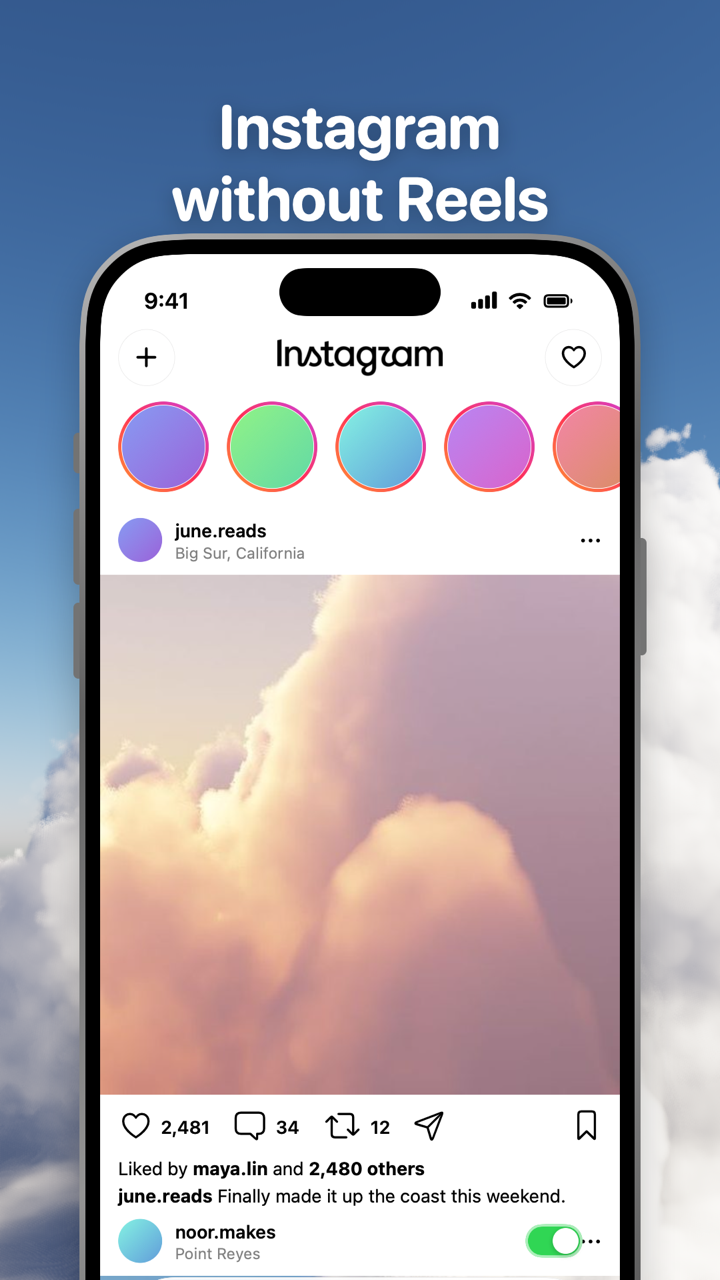
Hide Reels and Hide Explore are locked: they are on from the first load and can't be turned off for good. From the options sheet or Settings you can show Reels for five minutes at a time, and the switch turns itself back on at the deadline. That is the difference from Instagram's own controls: a snooze you have to renew every month against a switch you have to turn off every five minutes. Ad slides are skipped in Instagram Reels during those five minutes.
Everything else is still Instagram, signed in with your own account. Direct messages, posting, profiles, search, Stories and notifications keep working. Comments open in a native sheet. Notifications can be set per app to all, messages only, or off, so a Reels notification never has to reach you.
Where Toggle isn't the answer
Toggle runs on iPhone (iOS 17 or later) and iPad in iPhone compatibility mode. There is no Android app. On a computer the free Chrome extension hides Reels, Explore, suggested posts, Home, Stories and like counts on instagram.com, and a page on blocking Reels in Chrome is coming to this site. DNS filters and router rules can't remove Reels alone, since Reels load from the same domains as photos and messages.
The iPhone app is free to download and paid after the 7-day trial: $6.99 a week or $99 a year in the US as of October 24, 2026, handled by Apple. If you want Reels gone for free, the snooze, the Following feed and the Chrome extension are the honest list.
Toggle doesn't change the real Instagram app; it replaces it. If the real app is still on your phone you can open it any time. Toggle can block the real apps with Apple's Screen Time so the clean version is the one you open; that step is optional and explained in Block the real apps with Screen Time. Why the Reels feed is hard to leave once it's open is its own guide here.
Sites change, too. If Instagram moves the Reels tab or renames a route, a switch can stop working until Toggle updates. Facebook's Reels have the same shape and their own page: Facebook without Reels. For every short-video feed at once, see Block Reels and Shorts on iPhone.
Questions
Is there a way to turn off Reels on Instagram?
Not in the Instagram app. As of October 24, 2026 there is no setting that removes the Reels tab or stops Reels from being suggested. You can mark single Reels Not interested, snooze suggested posts for 30 days or read the Following feed, and each of those leaves the Reels tab in place.
How do I turn off Reels on Instagram on iPhone?
The iPhone app has the same settings as Android: none of them turn Reels off. On an iPhone the way to use Instagram without Reels is a different client. Toggle opens Instagram inside its own app with the Reels tab and feed hidden; the switch is locked on and can be shown for five minutes at a time.
Can I remove Reels from my Instagram home feed only?
Partly. Tap the X on a suggested post and choose Snooze all suggested posts for 30 days, or switch to the Following feed from the Instagram logo. Both stop suggested Reels in Home for a while; videos from accounts you follow still play there, and the snooze ends after 30 days.
Does Reset suggested content remove Reels?
No. Reset suggested content (profile, More options, Content preferences) clears what Instagram has learned about you across Explore, Reels and Feed. The Reels tab stays and fills up again as you use the app.
Can I still get Reels a friend sends me in a DM without Reels?
Yes. A Reel a friend sends is a message, not a feed. Instagram's own controls don't change it, and in Toggle messages keep working with the Reels tab and feed hidden.
Is there an Instagram without Reels app?
Toggle (toggle.social) is one: an iPhone app that opens Instagram and eight other social sites with their endless feeds hidden. It is free to download and paid after the 7-day trial. Android has no equivalent from Toggle; the free Chrome extension covers instagram.com on a computer.
Sources
- Introducing Reels and Shop Tabs (Instagram, November 12, 2020) (accessed 2026-10-24)
- Introducing Instagram Reels (Instagram, August 5, 2020) (accessed 2026-10-24)
- How to See More of What You Want on Instagram (Instagram, August 30, 2022) (accessed 2026-10-24)
- Reshape Your Instagram With a Recommendations Reset (Meta, November 19, 2024) (accessed 2026-10-24)
- About Sensitive Content Control on Instagram (Instagram Help Center) (accessed 2026-10-24)
- Updates to the Sensitive Content Control (Instagram, June 6, 2022) (accessed 2026-10-24)
- Instagram Quiet Mode: a new way to manage your time and focus (Meta, January 19, 2023) (accessed 2026-10-24)
- Set a reminder for time spent on Instagram (Instagram Help Center) (accessed 2026-10-24)