YouTube has no setting that removes Shorts. That is still true on October 24, 2026. What YouTube offers instead is a set of partial controls: a Shorts feed limit you can set to zero, a Show fewer Shorts option on each shelf, and a watch-history switch that empties the Home page. Each one leaves Shorts somewhere.
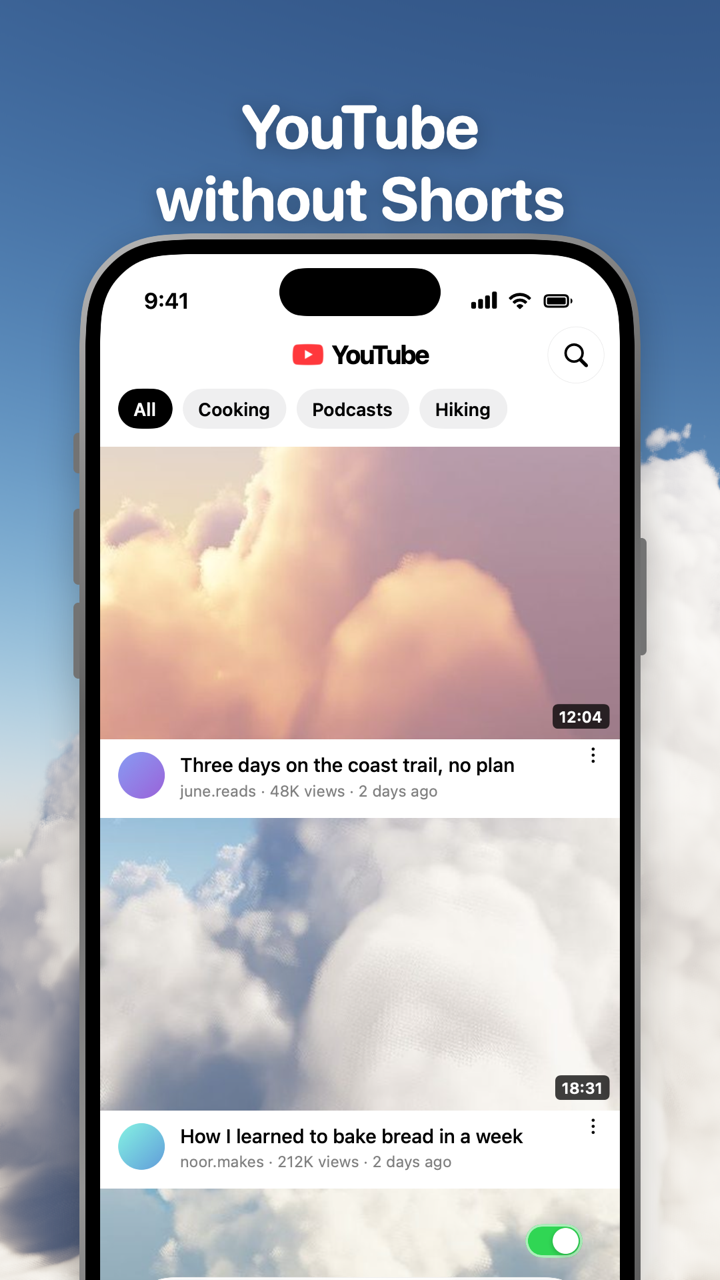
Toggle (toggle.social) is an iPhone app that opens Instagram, YouTube, TikTok, X, Threads, Reddit, LinkedIn, Facebook and Snapchat inside one app, with the parts built to keep you scrolling switched off. For YouTube that means Shorts and recommendations are hidden from the first load and the app opens on your Subscriptions feed. The native options come first below, then Toggle.
Is there a way to turn off YouTube Shorts?
No. The YouTube app for iPhone has no Shorts switch in Settings, and YouTube's help page on recommendations offers only "Show fewer Shorts" for the grids on Home and Watch Next. The Shorts feed limit added in October 2025 is the closest YouTube has come: set to zero, the Shorts feed stops playing and shows a limit message. YouTube's own help page says the message comes with "an option to dismiss or ignore your set limit", so it is a speed bump, not a wall.
If you want Shorts gone rather than slowed, the choice is between a browser extension on a computer and an app like Toggle on the iPhone.
Where Shorts reach you on YouTube
YouTube's creator help page lists where viewers find Shorts: the Shorts tab, the homepage, search results, a channel's page, the Subscriptions feed and notifications. Its recommendations page adds Watch Next, the column under the video you are watching. That is seven entry points. Here is each one against what YouTube lets you do about it and what Toggle does.
| Entry point | What YouTube offers | In Toggle |
|---|---|---|
| Shorts tab (bottom bar) | Shorts feed limit, zero to two hours, dismissible | Hidden (Hide Shorts) |
| Shorts shelf on Home | Show fewer Shorts; X on web, back after 30 days | Hidden |
| Shorts in search results | Nothing | Hidden |
| Shorts tab on a channel | Nothing | Hidden |
| Shorts in Up next (Watch Next) | Show fewer Shorts on the grid | Hidden |
| Shorts in the Subscriptions feed | Nothing | Hidden |
| Shorts in notifications | Per-channel notification settings | Follows your notification level |
Two notes on the table. The Home shelf and the Watch Next grid share one preference, so clearing it in My Activity brings both back. And Shorts from channels you subscribe to land in the Subscriptions feed as ordinary uploads, which is why the Subscriptions feed alone is not a Shorts-free YouTube.
What Show fewer Shorts does
The steps on iPhone, from YouTube's help page:
- Scroll Home (or the Watch Next column under a video) to a grid of Shorts.
- Tap More at the top of the grid.
- Tap Show fewer Shorts.
YouTube says you can clear this choice in My Activity. It gives no duration. On youtube.com in a browser the shelf has an X instead, and published walkthroughs quote YouTube's confirmation that the shelf will be hidden for 30 days. Either way it is a snooze, not a setting.
Show fewer Shorts touches only the shelf. The Shorts tab stays in the bottom bar, search still returns Shorts, and channel pages keep their Shorts tab.
YouTube's Shorts feed limit, set to zero
YouTube announced the Shorts feed limit on October 22, 2025 as a way to "set a daily limit for how long they can scroll on the Shorts feed on mobile". By April 2026 the list of limits included zero. The path on iPhone:
- Tap You, then Settings.
- Tap Time management.
- Tap Shorts feed limit.
- Pick a limit. Reports put the list at 15 minutes to two hours, and YouTube's help page confirms it includes zero.
When the limit is reached, YouTube's help page says "a message will appear reminding you" and "you will be prompted with an option to dismiss or ignore your set limit". YouTube said in the announcement that parents of supervised accounts would later be able to make the limit non-dismissable; for an adult account it stays dismissible. The limit covers the Shorts feed. YouTube's page does not say Shorts leave Home, search or channel pages, and nothing in the setting suggests they do.
The limit is worth setting even if you also use Toggle: it is the only control that lives inside YouTube's own app.
Turning off watch history empties Home
YouTube's watch history page says: "If you have no relevant or significant recent watch history and have indicated you do not wish to receive future recommendations based on that history, YouTube features like recommendations on the YouTube homepage are removed." The steps on iPhone:
- Tap your profile picture, then Settings.
- Tap Manage all history.
- Tap the Controls tab.
- Unselect "Include the YouTube videos you watch".
Then clear your existing history, since the rule needs "no relevant or significant recent watch history". Home goes quiet, which also removes the Shorts shelf that lived in it. The cost is that nothing you watch is remembered: no history list, no resume points. YouTube's page says nothing about the Shorts tab, and the tab stays. YouTube with only your subscriptions weighs this trick against the Subscriptions feed.
YouTube without Shorts in Toggle
Toggle opens YouTube as its mobile website inside the app, signed in with your own Google account, restyled with a native tab bar and header. The Shorts switch is one of Toggle's locked switches: Hide Shorts is on from the first load and can't be turned off for good. From the options sheet (hold the Toggle switch at the bottom of the app for a moment) or Settings, it can be shown for five minutes at a time, and it turns itself back on at the deadline.
YouTube in Toggle opens on your Subscriptions feed, not Home. The switches:
| Switch | Default |
|---|---|
| Hide Shorts | Always off (locked, five-minute shows) |
| Hide Recommendations | Always off (locked, five-minute shows) |
| Hide Home | Your choice, off to start |
| Hide Like counts | Your choice, off to start |
| Hide Comments | Your choice, off to start |
| Grayscale | Your choice, off to start |
What keeps working: search, channels, notifications and posting (upload opens YouTube's desktop Studio page inside Toggle). Videos play in their own player with a mini player. Comments open in a native sheet. Many ad and tracking requests are blocked.
Toggle can also block the real YouTube app with Apple's Screen Time, so the version without Shorts is the one that opens. That is optional. The iPhone app is free to download, paid after the 7-day trial ($6.99 a week or $99 a year in the US on October 24, 2026). Toggle is iPhone only, iOS 17 or later; there is no Android app. Because Toggle uses YouTube's mobile website, a few app-only features may be missing, and when YouTube changes its site a switch can stop working until Toggle updates. Toggle for iPhone has screenshots of every app, and Block Reels and Shorts on iPhone covers the other short-video feeds.
On a computer
On a Mac or PC the problem is smaller: Toggle's free Chrome extension has a Shorts switch for youtube.com, alongside Home and like counts, and several other extensions hide the Shorts shelf too. The Safari version for Mac is coming to the Mac App Store. The hub YouTube without the rabbit hole maps every YouTube surface, Shorts included, against the native controls.
Questions
Is there a way to turn off YouTube Shorts?
Not in YouTube itself. As of October 24, 2026 the YouTube app has no Shorts off switch. You can set a Shorts feed limit to zero, choose Show fewer Shorts on a shelf, or turn off watch history to thin out Home. An app like Toggle hides Shorts for you.
How do I turn off Shorts in the YouTube app on iPhone?
The nearest thing is You → Settings → Time management → Shorts feed limit, set to zero. The Shorts feed then stops and shows a limit message, which YouTube lets you dismiss. Shorts still appear elsewhere in the app.
How long does Show fewer Shorts last?
YouTube's help page gives no duration and says you can clear the choice in My Activity. On youtube.com the X on the Shorts shelf confirms the shelf is hidden for 30 days, according to published walkthroughs. It is a snooze, not a setting.
Is there a YouTube app without Shorts for iPhone?
Toggle (toggle.social) opens YouTube inside its own app with Shorts and recommendations hidden from the first load and your Subscriptions feed as the home page. It is free to download, paid after a 7-day trial, iPhone only.
Does turning off watch history remove Shorts?
It removes recommendations from the Home page once you have no significant recent history. YouTube's help page says nothing about the Shorts tab, which stays in the bottom bar.
Can I hide Shorts on a computer?
Yes. Toggle's free Chrome extension has a Shorts switch for youtube.com, and other extensions do the same. The Safari version for Mac is coming to the Mac App Store.
Sources
- Manage your recommendations & search results, YouTube Help (accessed 2026-10-24)
- Set a Shorts feed limit, YouTube Help (accessed 2026-10-24)
- A new way to manage your time on Shorts, TeamYouTube announcement, October 22, 2025 (accessed 2026-10-24)
- View, delete, or turn on or off watch history (iPhone & iPad), YouTube Help (accessed 2026-10-24)
- Get started creating YouTube Shorts, YouTube Help (accessed 2026-10-24)
- Subscribe to YouTube channels (iPhone & iPad), YouTube Help (accessed 2026-10-24)
- YouTube adds Shorts feed limit feature to help users manage screen time, ETV Bharat, April 17, 2026 (accessed 2026-10-24)
- How to remove YouTube Shorts from your home page, SlashGear, December 25, 2023 (accessed 2026-10-24)