
Toggle (toggle.social) is an iPhone app that opens Instagram, YouTube, TikTok, X, Threads, Reddit, LinkedIn, Facebook and Snapchat inside one app, with the parts built to keep you scrolling switched off. On Facebook that means Reels and Watch are hidden for good, Marketplace and Stories are hidden by default, and the app opens on the most recent feed instead of Home. This page is about Reels alone: where they reach you, what Facebook's own controls do, and what Toggle does instead. Everything else Facebook shows, and every Facebook page on this site, is on the Facebook page.
Facebook has no setting that turns Reels off
Checked October 24, 2026: there is no switch in the Facebook app or on facebook.com that removes Reels. Meta's help page on Reels describes where to find them, not how to leave them out, and since September 2025 Facebook treats all videos posted to Facebook as reels, "regardless of length or orientation," apart from Stories and live video. What you get instead are signals that lower how often Reels appear. They work for a while and drift back.
Every place Reels reach you on Facebook
Meta's own launch post from February 2022 said people "can find Facebook Reels in Feed, Groups and Watch," added a Reels label at the top of Feed, let public reels be shared to Stories, and started "to suggest reels that you may like in your Feed from people you do not already follow." Four years on the list is longer.
| Where | What shows | Native control | In Toggle |
|---|---|---|---|
| Home feed | Suggested reels between posts, from people you don't follow | Hide, Not interested, Show less per reel; a slider in Preferences → Reels | Hidden (Reels locked); Toggle opens on the most recent feed |
| Reels tab (left menu or shortcut bar) | A full-screen vertical feed | None | Hidden (locked) |
| Video (formerly Watch) tab | All videos as reels since September 2025 | None | Hidden (Hide Watch, locked) |
| Stories row | Public reels shared to Stories | Mute a person's story | Hidden by default (Hide Stories, a switch) |
| Groups | Reels posted by members | Hide per reel | Groups kept |
| Marketplace | Not Reels, but the other feed without an end | None | Hidden by default (a switch) |
| Reels a friend sends in Messenger | The reel in the chat | None | Messages keep working |
What Hide, Not interested and Show less do
On a Reel, the ⋯ menu offers Hide (or Hide reel), Not interested, and on some reels Show more or Show less. Each is a signal to Facebook's ranking that you want fewer like it. They reduce Reels; none removes them, and people who have tried it report doing it on many reels over several days and repeating it every few weeks. None of these touch the Reels tab or the Video tab, which are feeds of nothing but reels.
There is also a preferences screen, in the app under Menu → Settings and privacy → Settings → Preferences → Reels, with a slider for how much Reels content shows in your main feed and toggles for Reduce videos with loud music and Reduce recently watched. On the desktop site the same screen sits under Settings → Reels with the two toggles and no slider. The slider's lowest position is "less," not "none."
Reduce Reels in the Facebook app (native steps)
If you are staying in the Facebook app, this is the most you can do. Steps checked October 24, 2026:
- Open the Facebook app and tap Menu (the three lines).
- Tap Settings and privacy, then Settings.
- Under Preferences, tap Reels.
- Drag the slider for Reels in your feed to its lowest setting. Turn on Reduce videos with loud music and Reduce recently watched if you want.
- Back in your feed, on every suggested reel, tap ⋯ and choose Hide or Not interested.
- Read the Feeds tab instead of Home when you can: Meta describes it as the most recent posts from friends, Favorites, Pages and groups with "no Suggested For You posts." Reels and Stories live in Home.
Expect to repeat steps 4 and 5. Facebook's own Feeds tab and its Video tab each have their own page on this site.
Toggle's Facebook switches
In Toggle, Reels are not a signal you send; they are a part of the page that never shows. Hide Reels and Hide Watch are locked switches: on from the first load, and not something you can turn off for good. From the options sheet (hold the Toggle switch at the bottom of the app for a moment) or from Settings, a locked switch can be shown for five minutes at a time, and it turns itself back on at the deadline. So a Reel a friend talks about is five minutes away, and the feed is not.
Defaults as of version 1.5 (October 2026):
| Switch | Default |
|---|---|
| Hide Reels | Always off (locked; five-minute show) |
| Hide Watch | Always off (locked; five-minute show) |
| Hide Marketplace | Off by default (can be turned back on) |
| Hide Stories | Off by default (can be turned back on) |
| Hide Home | Your choice (off when you start) |
| Hide Like counts | Your choice |
| Hide Comments | Your choice |
| Grayscale | Your choice |
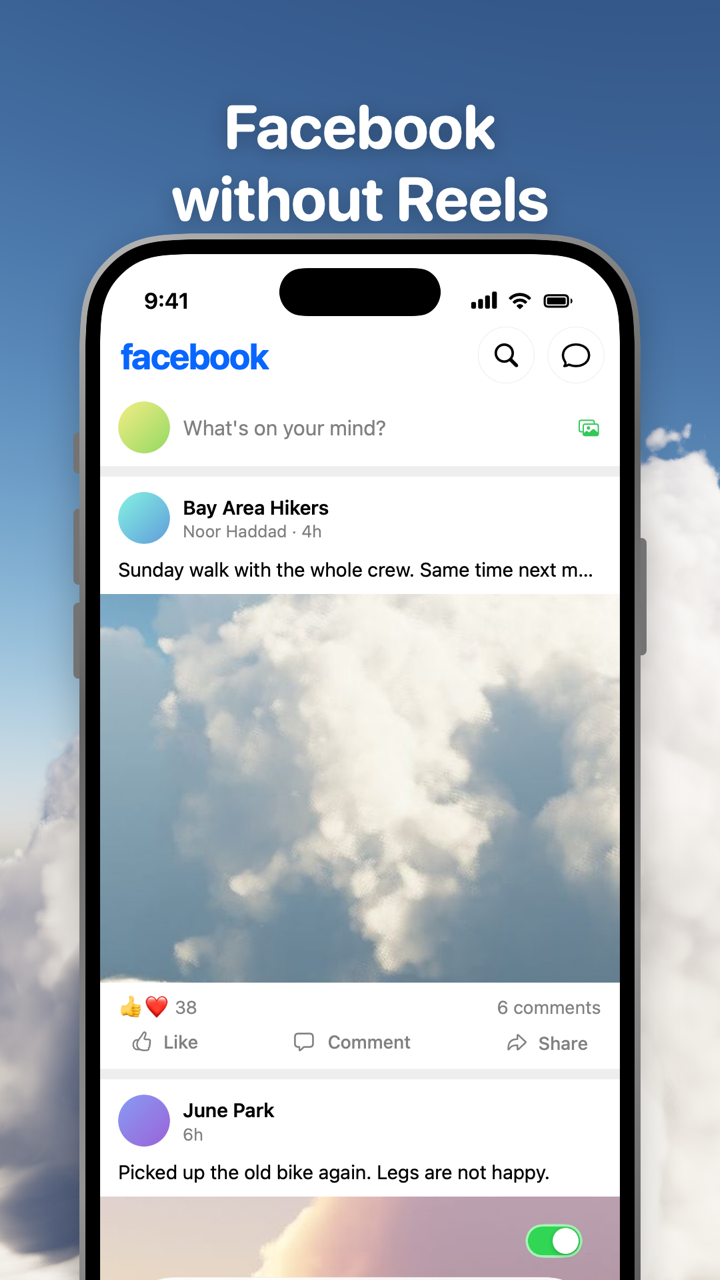
Toggle opens Facebook on the most recent (chronological) feed, not on Home, so the feed you land on is friends, groups and Pages in order, with reels hidden. Hide Home goes further and removes the feed altogether, leaving groups, events, Marketplace if you want it, messages, profiles and search; Facebook without the News Feed is its own page on this site. Switches apply per app, at once, and turning a hidden part back on reloads only what needs it.
What keeps working on Facebook in Toggle
Messages, posting, profiles, search and notifications work. Groups and events are pages, not feeds, and stay. Comments open in the page (Facebook is one of the apps where Toggle does not draw them in a native sheet). Notifications are optional per app: all, messages only (direct messages, replies, comments, mentions) or off, delivered through Facebook's own web push and Toggle's relay, encrypted end to end to your iPhone.
Reaction counts are a switch too, and that is all this page says about them: the native setting (Settings and privacy → Settings → Preferences → Reaction preferences) and Toggle's switch for every app are on Hide like counts everywhere.
Where Toggle is not the answer
Toggle is iPhone only (iOS 17 or later, iPad in compatibility mode). There is no Android app. The iPhone app is free to download and paid after the 7-day trial: $6.99 a week or $99 a year in the US on October 24, 2026, prices on the pricing page. If you only need fewer Reels, the native steps above are free and do reduce them.
Toggle uses Facebook's mobile website inside the app, so an app-only feature may be missing, and Facebook changes its site often: a switch can stop working until Toggle updates. Toggle doesn't change the real Facebook app; it replaces it. If you want the real app out of reach, Toggle can block it with Apple's Screen Time and show "Open in Toggle" on its shield, which is covered on Block the real apps.
On a computer, the free Chrome extension hides Reels, Watch, Marketplace, Stories, Home and like counts on facebook.com as switches. The short-video feeds on every app, Instagram Reels and YouTube Shorts included, are compared in one table on Block Reels and Shorts on iPhone.
Questions
How do I remove Reels from Facebook on iPhone?
The Facebook app has no remove switch. Hide each Reel from its ⋯ menu, choose Not interested, and set the Reels slider low under Settings and privacy → Settings → Preferences → Reels. To remove them for good on iPhone, open Facebook inside Toggle, where Reels and Watch are hidden by default.
Can you turn off Reels in the Facebook app?
No. Facebook offers Hide, Not interested, Show less and a slider for how much Reels content shows in Feed, all of which reduce Reels rather than remove them. Only a different client, like Toggle, leaves them out.
What does Show less do on a Facebook Reel?
It tells Facebook's ranking to show you fewer Reels like that one. It is a signal, not a setting: Reels keep appearing, and people report repeating it every few weeks.
Does Facebook's Feeds tab show Reels?
The Feeds tab shows the most recent posts from friends, Favorites, Pages and groups with no Suggested for you posts, so it is the calmest native feed. Reels and Stories live in Home. Toggle opens Facebook on the most recent feed with Reels hidden.
Does hiding Reels in Toggle break Messenger or groups?
No. Messages, groups, events, posting, profiles, search and notifications keep working. Comments open in the page. Only Reels, Watch and (by default) Marketplace and Stories go, and each of the last two is a switch you can turn back on.
Sources
- Launching Facebook Reels Globally and New Ways for Creators to Make Money (Meta Newsroom, February 22, 2022) (accessed 2026-10-24)
- Explore and watch Facebook reels (Facebook Help Center) (accessed 2026-10-24)
- Introducing Home and Feeds on Facebook (Meta Newsroom, July 21, 2022) (accessed 2026-10-24)
- Giving People More Control on Instagram and Facebook (Meta Newsroom, May 26, 2021) (accessed 2026-10-24)
- How To Disable Reels On Facebook: 4 Different Ways (SlashGear, January 7, 2024) (accessed 2026-10-24)
- How to hide Reels on Facebook (Guiding Tech, updated August 23, 2024) (accessed 2026-10-24)
- How to turn off or disable Reels on Facebook (Lilach Bullock) (accessed 2026-10-24)