
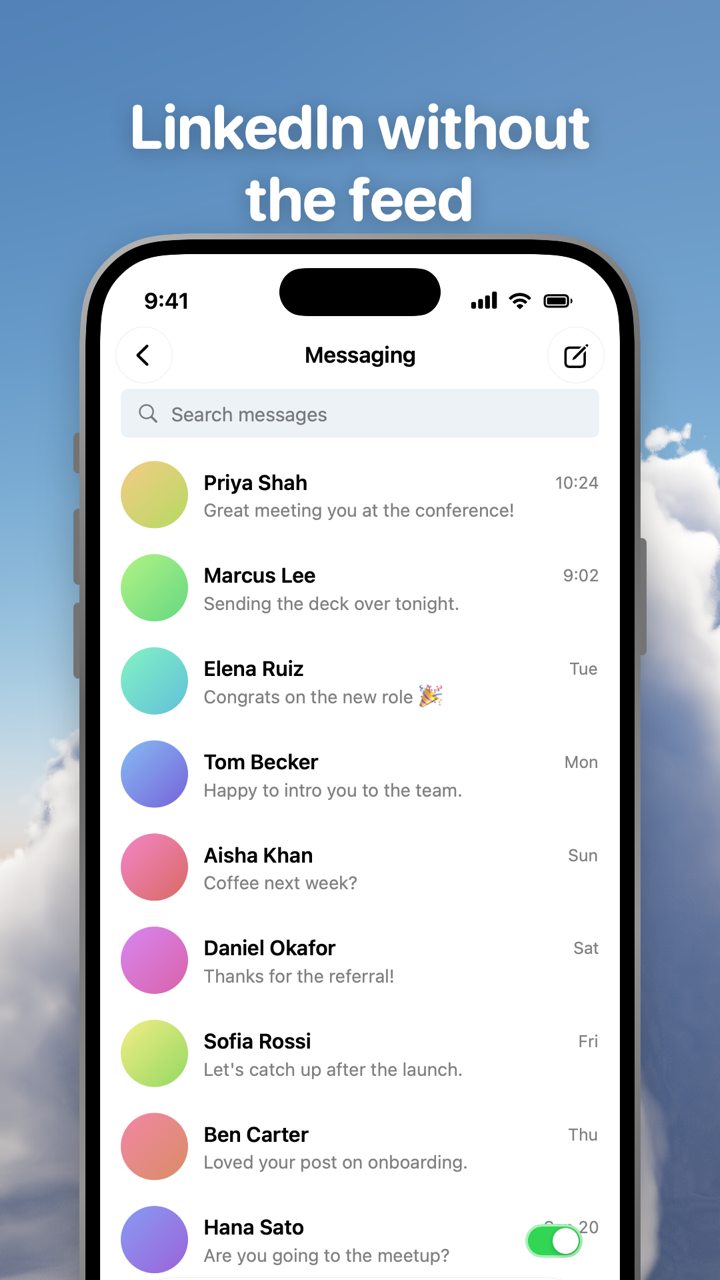
Toggle (toggle.social) is an iPhone app that opens Instagram, YouTube, TikTok, X, Threads, Reddit, LinkedIn, Facebook and Snapchat inside one app, with the parts built to keep you scrolling switched off. For LinkedIn it does something simpler than the others: it opens on Messaging instead of the feed, hides suggested posts for good and lets you hide Home. Jobs, your network and notifications stay. This page is about that messaging-first LinkedIn. The map of every LinkedIn surface is on the LinkedIn page.
There is no off switch for the LinkedIn feed
LinkedIn's Help describes the feed as a mix of posts from your network, recommended content labelled "Trending," "Recommended for you" or "Popular," news marked "Latest News" or "Mentioned in the News," and sponsored posts. The Home tab opens on it. Nothing in Settings removes it. Checked October 24, 2026, the native controls are:
| Control | Where | What it does | What it leaves |
|---|---|---|---|
| Sort by: Recent | Desktop homepage, above the feed | Posts from people you follow, newest first | Resets to Top; desktop only |
| Preferred Feed View: Most recent posts | Me → Settings & Privacy → General preferences → Preferred Feed View | Makes Recent the saved default | A feed still opens first |
| Not interested / hide (X) | ⋯ menu on a post | Fewer posts like it | One post at a time |
| Unfollow or mute | My Network → Following & followers → Following | Removes a person or company from the feed | Connections stay; recommendations stay |
The honest summary: you can make the LinkedIn feed quieter and more chronological. You cannot make LinkedIn open on anything else.
Set LinkedIn's feed to Most recent posts
If you stay on LinkedIn itself, this is the best native setup. Steps checked October 24, 2026:
- On linkedin.com, click Me at the top, then Settings & Privacy.
- Under General preferences, click Preferred Feed View.
- Choose Most recent posts. LinkedIn describes it as "the latest posts first, only from people whom you follow." It saves on its own.
- Back on the homepage, use the Sort by menu above the feed to switch between Top and Recent for one visit.
- Prune the sources: My Network → Following & followers → under Following, click Following next to a person or company, then Unfollow. Unfollowing a connection keeps the connection.
- On posts that still get through, open the ⋯ menu and choose Not interested, or hide the post with the X. LinkedIn says this helps future recommendations.
Whether LinkedIn can be sorted by recent on the phone, and what the sort does and doesn't change, has its own page on this site.
What Toggle removes and keeps on LinkedIn
Toggle opens LinkedIn on Messaging. The feed is behind the Home tab, and the Home tab is a switch.
| Surface | In Toggle |
|---|---|
| Messaging | Opens here |
| Home feed | Your choice: Hide Home removes the tab and the feed |
| Suggested posts in the feed | Hidden (locked) |
| Jobs | Kept |
| My Network (invitations, people you may know) | Kept |
| Notifications | Kept |
| Profiles and search | Kept |
| Posting | Posting works |
| Comments | In a native sheet; Hide Comments switch |
| Reaction counts | Hide Like counts switch |
Hide Suggested is a locked switch: on from the first load, and not something you can turn off for good. From the options sheet (hold the Toggle switch at the bottom of the app for a moment) or from Settings, a locked switch can be shown for five minutes at a time, and it turns itself back on at the deadline. The others are your choice, off when you start. Defaults as of version 1.5 (October 2026):
| Switch | Default |
|---|---|
| Hide Suggested | Always off (locked; five-minute show) |
| Hide Home | Your choice |
| Hide Like counts (reactions) | Your choice |
| Hide Comments | Your choice |
| Grayscale | Your choice |
Switches apply per app, at once. Turning a hidden part back on reloads only what needs it. Turning off only the suggested posts, and hiding reaction counts, each have their own page on this site; here they are rows in a table.
What recruiters and job seekers keep
LinkedIn without the feed is the LinkedIn most people say they want: a professional inbox with a jobs board attached.
Job seekers keep Jobs (search, saved jobs and applications), recruiter messages in Messaging, connection requests in My Network and the notifications that tell you a recruiter viewed your profile or replied. Your own profile is a page you can edit. The one thing you lose with Hide Home on is seeing posts from companies you follow, which the feed mixed with everything else anyway. Using LinkedIn only for a job search has its own page on this site.
Recruiters and people who hire keep Messaging, search, profiles and notifications, which is the whole working loop: find, read, message, follow up. Posting works, so you can still share a role, and comments open in a native sheet when you want them.
People who post keep the composer and their notifications. What they lose is the feedback loop: reaction counts can be hidden with a switch, and the feed that shows you how your post is doing against everyone else's is gone when Hide Home is on.
LinkedIn feed not loading, not updating, not refreshing
Many of the searches that land on this page are from people whose feed stopped working, not people who want it gone. Two honest notes.
If LinkedIn's feed won't load or refresh in a browser, the cause is almost always local: a stale cached copy of the site, an extension that interferes with its scripts, or a weak connection. Reload the page, try a private window (if the feed loads there, it is the cache or an extension), clear the site's cache and cookies, or sign out and back in. If messages, jobs and your profile all fail at once, LinkedIn itself may be down.
Toggle does not fix a LinkedIn outage. LinkedIn inside Toggle is LinkedIn's own mobile site, so when LinkedIn is down it is down in Toggle too. What Toggle changes is that you stop needing the feed to load: Messaging opens first, and with Hide Home on nothing waits on the feed.
Notifications from LinkedIn
LinkedIn has no web push, so Toggle checks LinkedIn's notification count in the background and notifies you when it rises. You choose per app: all notifications, messages only (direct messages, replies, comments, mentions) or off. If the LinkedIn app is installed and not blocked, Toggle holds back its own LinkedIn notifications so you don't get two. The mechanics are on the notifications help page.
On a computer: the extension
The same idea runs on linkedin.com through the free Chrome extension: switches for the Home feed, suggested posts and reaction counts, plus two that cover every site (hide like counts everywhere, hide every endless feed). Changes apply at once with no reload, and the Toggle switch at the top of the popup brings everything back for 20 minutes before turning itself back on. Toggle for Safari is coming to the Mac App Store. Hiding only the feed in Chrome has its own page on this site.
Where Toggle is not the answer
Toggle is iPhone only (iOS 17 or later, iPad in compatibility mode). There is no Android app. The iPhone app is free to download and paid after the 7-day trial: $6.99 a week or $99 a year in the US on October 24, 2026, prices on the pricing page. If you only need a calmer feed, the native steps above cost nothing.
Toggle uses LinkedIn's mobile website inside the app. A feature that exists only in the LinkedIn app may be missing, and LinkedIn changes its site often enough that a switch can stop working until Toggle updates. You sign in to LinkedIn directly and the login stays on your iPhone; Toggle has no account. How the shell around each site works is on How Toggle works, and the per-app like-count switch across every app is on Hide like counts everywhere.
Questions
Can you turn off the LinkedIn feed?
Not on LinkedIn itself. The closest native controls are Sort by Recent on the desktop homepage, Preferred Feed View under Settings & Privacy → General preferences, and Not interested on each post. Toggle hides the feed with its Hide Home switch and opens LinkedIn on Messaging.
Why is my LinkedIn feed not loading or not updating?
Usually something local: an old cached copy of the site, a browser extension that interferes, or a weak connection. Reload, try a private window, clear the site's cache and cookies, or sign out and back in. If messages and jobs fail too, LinkedIn may be down.
How do I improve my LinkedIn feed?
Unfollow or mute people and companies from My Network → Following & followers, mark posts Not interested, and set Preferred Feed View to Most recent posts. Or stop improving it: with Toggle's Hide Home on, there is no feed to tune.
Does LinkedIn without the feed still work for job hunting?
Yes. In Toggle, LinkedIn's Jobs, network, notifications and messaging pages stay, so applications, recruiter messages and connection requests all work. The feed is the only thing that goes.
Can I hide reaction counts on LinkedIn?
LinkedIn has no setting for it. Toggle's Hide Like counts switch for LinkedIn hides reaction counts on posts and comments; it is off when you start.
Sources
- LinkedIn Feed - Overview (LinkedIn Help) (accessed 2026-10-24)
- Sort your feed by Top or Recent posts (LinkedIn Help) (accessed 2026-10-24)
- Manage your LinkedIn feed preferences (LinkedIn Help) (accessed 2026-10-24)
- Best practices to customize what you see on your LinkedIn feed (LinkedIn Help) (accessed 2026-10-24)
- LinkedIn relevance - Optimizing the member experience (LinkedIn Help) (accessed 2026-10-24)
- LinkedIn Not Working in Chrome? Here's How to Fix It (Online Tech Tips, August 17, 2026) (accessed 2026-10-24)