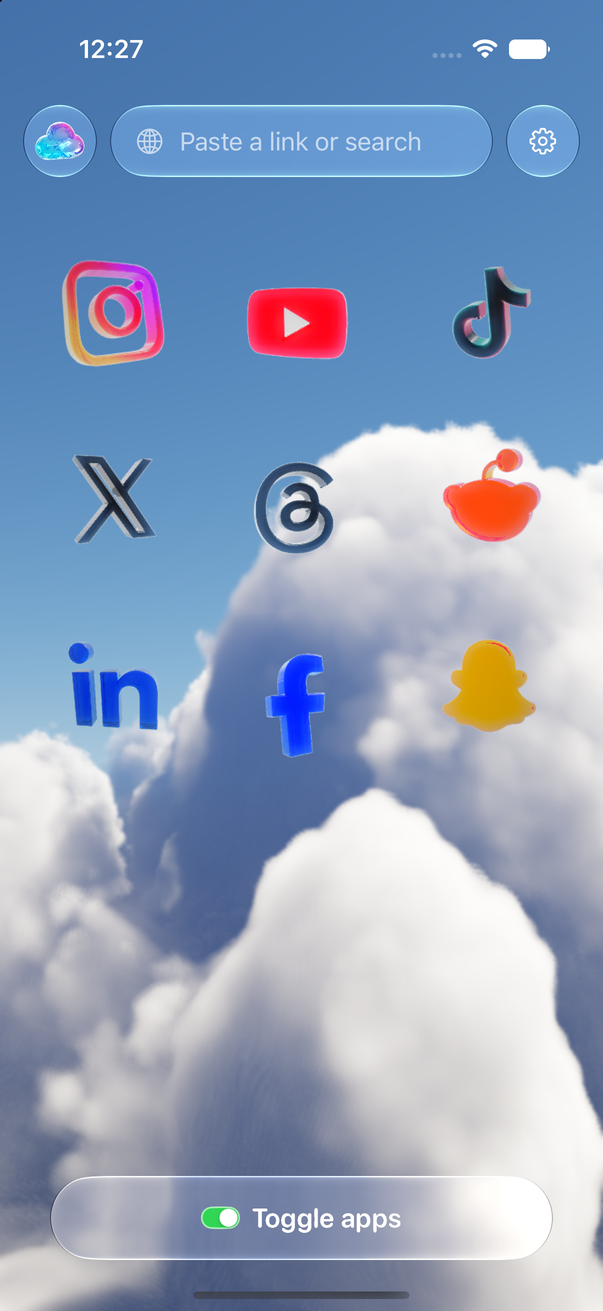
Toggle is an iPhone app that opens Instagram, YouTube, TikTok, X, Threads, Reddit, LinkedIn, Facebook and Snapchat inside one app, with the parts built to keep you scrolling switched off: Reels, Shorts, For You feeds, Explore, suggested posts, like counts and more, chosen app by app. Messages, posting, profiles, search and notifications keep working. This page explains the mechanics in plain terms: what runs where, what Toggle draws itself, where your logins live, and how blocking and notifications work without Toggle ever holding your account.
Each app is its own mobile website inside a native shell
Each service opens as its own mobile website inside Toggle, signed in with your own account. Toggle doesn't talk to the services' servers on your behalf and doesn't use their developer APIs. It loads each service's own website (the mobile site for most, the desktop site for TikTok and Snapchat, whose mobile sites only ask you to install the app) in Apple's web engine, the same one Safari uses, and shows that page full screen.
Around the page, Toggle draws its own native parts: a tab bar at the bottom, a header at the top, and the Toggle switch under everything. Tap the switch to go back to the launcher; hold it for the options sheet. Because the site's own navigation bars are hidden and Toggle's are native, switching tabs feels like an app, not a browser.
| Part of the screen | Who draws it |
|---|---|
| The feed, posts, messages, profiles, search | The service's own website, signed in as you |
| Tab bar and header | Toggle, natively |
| Comments on Instagram, Threads, LinkedIn and YouTube | Toggle, in a native sheet |
| Comments on TikTok | TikTok's own drawer, restyled as a sheet |
| Comments on Facebook | Facebook's page; X's reply opens its composer |
| YouTube videos | Toggle's own player, with a mini player |
| Login pages | The service, directly |
| The Toggle switch at the bottom | Toggle |
Rules hide the feeds before the page is drawn
Each site has a short list of rules: which parts to hide, which page to open on, what to restyle. The rules run the moment a page starts loading, before anything is drawn, so a hidden Reels tab or Shorts shelf never flashes on screen and then disappears. When you move around inside a site, the rules follow the new page the same way.
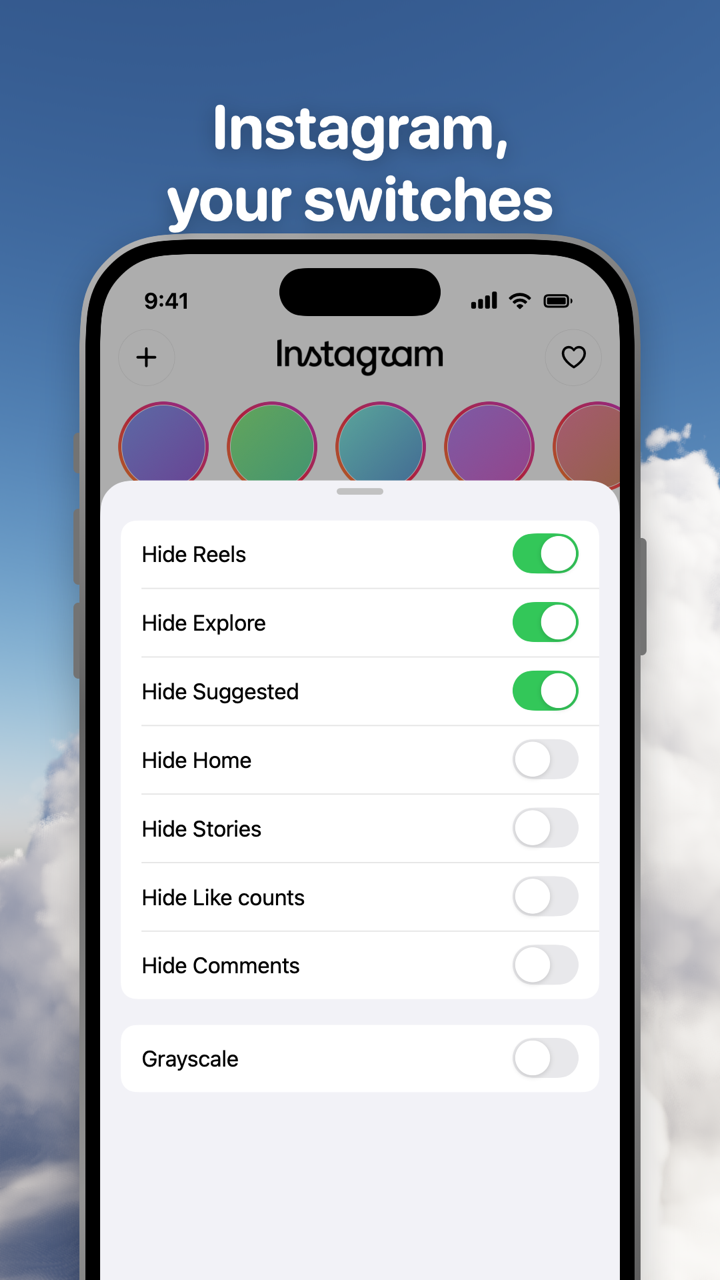
Switches apply per app, at once. Turning a hidden part back on reloads only what needs it. YouTube opens on your Subscriptions feed. TikTok and Threads open on Following. LinkedIn opens on Messaging; its Jobs, network and notifications pages stay. Facebook opens on the most recent (chronological) feed. The full list of switches per app is on Toggle for iPhone.
Some switches are locked. The short-video and recommendation feeds (Instagram's Reels and Explore, YouTube's Shorts and recommendations, TikTok's For You and Explore, X's videos and Explore, Threads' For You, Reddit's and LinkedIn's suggested posts, Facebook's Reels and Watch) are on from the first load and can't be turned off for good. From the options sheet (hold the Toggle switch at the bottom of any app for a moment) or Settings, a locked switch can be shown for five minutes at a time; it turns itself back on at the deadline.
Many ad and tracking requests are blocked inside Toggle by a shared content blocker. Promoted posts are hidden in X's timeline, and ad slides are skipped in Instagram Reels when Reels are shown. That means fewer ads, not none.
Your logins stay on your iPhone
You sign in to each service directly, on its own login page, with your password and whatever second step the service asks for. Their cookies stay on your iPhone, the way they would in a browser. Toggle has no account system: there is nothing to sign up for and no Toggle server that holds your Instagram or Google session.
Settings → Erase all data erases everything Toggle stores and signs you out of every service in it; deleting the app does the same. What does and doesn't leave the phone is listed on Is Toggle safe to use with my accounts?.
Blocking the real apps uses Apple's Screen Time
Toggle can also block the real apps, so the clean version is the one you open. This uses Apple's Screen Time (Family Controls). In Settings → Choose apps you pick from Social and Entertainment; a blocked app then shows a shield with "Open in Toggle".
Apple gives Toggle only opaque tokens for the chosen apps. Toggle can't see which apps they are or how you use them; it can only ask Apple to shield them or not. "Unblock for 5 minutes" in Settings drops the shields and brings them back after five minutes. Turning blocking off asks first and offers the five-minute break instead. It's self-control, not parental control: the person who set it up can turn it off. Blocking the real apps is optional. Toggle doesn't change the real apps; it replaces them. Setup steps are on Block the real apps with Screen Time.
Notifications travel through the sites' own web push
Websites can send push notifications the same way apps can, through a standard called Web Push. In Toggle, each site you turn notifications on for sends its notifications to Toggle's relay, which passes them to Apple's push service and on to your iPhone. Notifications are encrypted end to end to the iPhone; the keys to read them stay on your phone, so the relay can't read them.
Notifications are optional, per app: all notifications, messages only (direct messages, replies, comments, mentions), or off. LinkedIn has no web push, so Toggle checks LinkedIn's notification count in the background and notifies on a rise. If a real app is installed and not blocked, Toggle holds back that app's notifications so you don't get two. More on Notifications in Toggle.
Smaller things Toggle does
- On a slow connection Toggle loads smaller images and fewer videos ahead.
- Settings → Add to Home Screen puts an icon for each app on your Home Screen. It installs a configuration profile made on the iPhone itself.
- Links shared to Toggle from the share sheet open in the right app.
- Settings → Browser turns on a plain built-in browser for links to other sites.
What this approach can't do
- Toggle runs on iPhone only, iOS 17 or later (on iPad in iPhone compatibility mode). There is no Android app; Android users can use the Chrome extension on a computer.
- Toggle uses each service's mobile website, so a few app-only features may be missing.
- Sites change. A switch can stop working until Toggle updates; see What's new in Toggle.
- Snapchat in Toggle is Snapchat for Web: chats and calls only. Spotlight, Stories and the Map never show.
- The iPhone app is free to download, paid after the 7-day trial. Prices are on Toggle pricing.
The browser extensions work the same way on a computer
The free Chrome extension applies the same idea to the desktop sites: switches site by site, plus two that cover every site (hide like counts everywhere, hide every endless feed). Changes apply at once, with no reload. No account, no tracking, nothing sent anywhere. The Toggle switch at the top of the popup brings everything back for 20 minutes, then turns itself back on. Toggle for Safari is coming to the Mac App Store.
Questions
Is Toggle a browser?
Underneath, yes. Each service runs as its own website in Apple's web engine, the one Safari uses. Toggle adds native parts around it (tab bar, header, comment sheet, video player) and rules inside it, so it looks and behaves like an app.
Does Toggle need my password?
No. You sign in to each service on its own login page, and the service's cookies stay on your iPhone. Toggle has no account system of its own.
How does Toggle hide Reels and Shorts?
A short list of rules per site runs the moment each page starts loading, before anything is drawn, and hides the parts you switched off. The hidden parts never flash on screen first.
How does Toggle block the real apps?
With Apple's Screen Time (Family Controls). You pick apps in Settings → Choose apps, and a blocked app shows a shield with Open in Toggle. Apple gives Toggle only opaque tokens, so Toggle can't see which apps you picked or how you use them.
How do notifications reach me if the real app isn't installed?
The sites send their own web push notifications to Toggle's relay, which hands them to Apple's push service. They are encrypted end to end to your iPhone, so the relay can't read them.
Sources
- Toggle privacy policy (accessed 2026-10-24)
- Toggle: Block Reels on the App Store (accessed 2026-10-24)
- Family Controls, Apple Developer Documentation (accessed 2026-10-24)
- Managed Settings, Apple Developer Documentation (accessed 2026-10-24)
- RFC 8030: Generic Event Delivery Using HTTP Push (accessed 2026-10-24)
- RFC 8291: Message Encryption for Web Push (accessed 2026-10-24)