
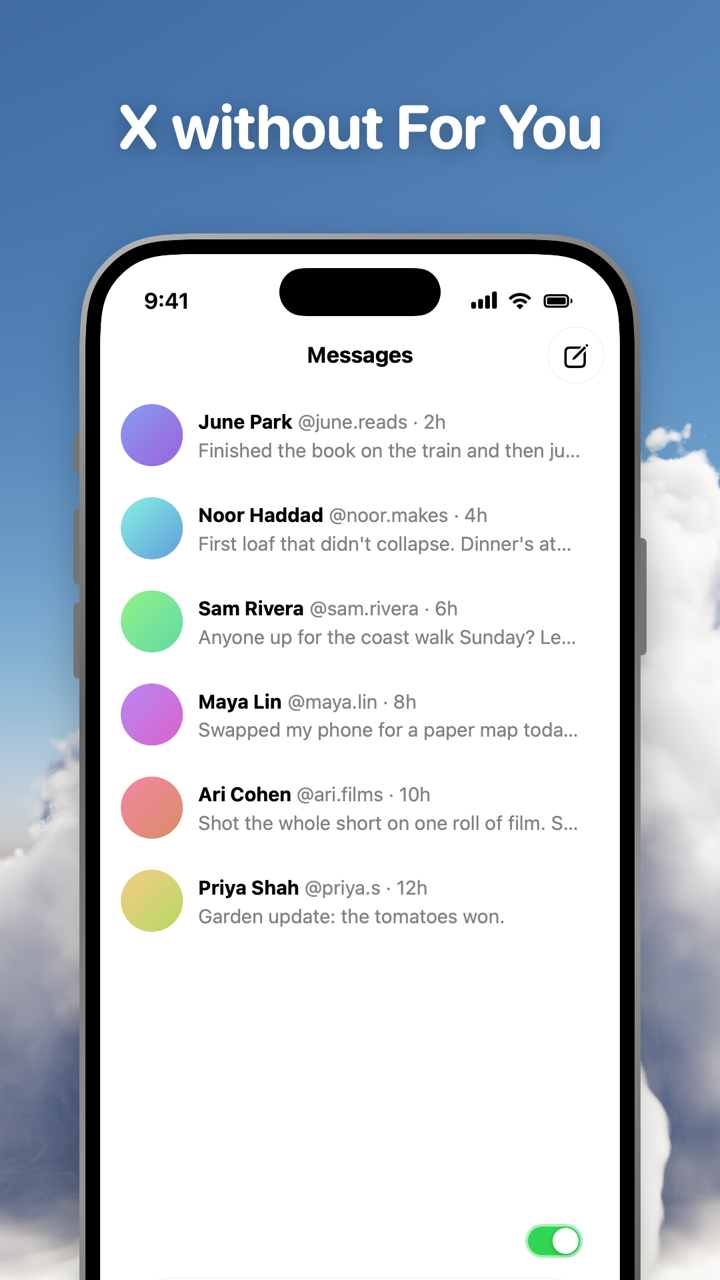
X without For You is X as a reader of the people you chose. The Following tab and Lists already do that inside X; what they can't do is remove the For you tab, the video feed, Explore or Grok from the screen. Toggle (toggle.social) is an iPhone app that opens Instagram, YouTube, TikTok, X, Threads, Reddit, LinkedIn, Facebook and Snapchat inside one app, with the parts built to keep you scrolling switched off. On X it hides For You by default, hides the video feed and Explore for good, and leaves Home, Grok, like counts and replies to you. DMs, notifications, search and posting stay.
What For You is, and where X opens
X's help page defines it: "For you serves posts from accounts and Topics you follow as well as recommended posts." The recommended posts come from outside your network, picked on signals "including how popular it is and how people in your network are interacting with it", and promoted posts ride along. Replies under a post are ranked too, with weight given to the author's own replies, people you follow and Premium subscribers. On the current app, the same tab is where Grok prompts and the video feed are offered.
On where X opens, the help page says: "When you close X on the For you or Following tabs, you will return to whichever timeline you had open last." So X does not force you back to For you on every open. It does keep For you as the first tab, a swipe to the left of wherever you are, with its tab label always on screen. A feed you can't remove is a feed you will open.
The native route: the Following tab and Lists
The Following tab is the plain feed. X: "Your Following timeline displays posts from only the accounts you follow." Switch with a tap on the tab or a swipe, and X remembers it until you swipe back.
Lists are the second native tool, and the better one for anyone who follows more accounts than they want to read. Per X's Lists page, "viewing a List timeline will show you a stream of posts from only the accounts on that List", and you can pin Lists so they appear as tabs beside For you and Following.
To make a List on iPhone: profile icon → Lists → the new List icon → name (25 characters at most, not starting with a number) → Done. Private Lists are visible only to you. To add members: open the List → Members → the more icon on an account → tick. To follow someone else's List, open their profile's more menu → View Lists → Follow; you can follow a List without following its accounts.
To pin a List: profile icon menu → Lists, then tap the pin icon on a List and "it will appear to the right of your For You and Following timelines". Edit lets you drag pinned Lists into order. Unpinning removes the tab without deleting the List.
Two limits. X says it will "show you recommendations from the Lists you follow right in your For you timeline", so Lists feed the thing you are avoiding. And a pinned List is a tab beside For you, not instead of it.
Every X surface against what stays
| X surface | What it shows | In Toggle |
|---|---|---|
| For you tab | Followed accounts plus recommended and promoted posts | Hidden by default (Hide For You) |
| Following tab | Only accounts you follow | Kept |
| Pinned Lists | Only accounts on the List | Kept |
| Home (the whole timeline) | For you and Following tabs | Your choice (Hide Home) |
| Explore and trends | Trending topics, search page suggestions | Always hidden (locked) |
| Video feed | Full-screen video player and feed | Always hidden (locked) |
| Grok | AI prompts and the Grok tab | Your choice (Hide Grok) |
| Promoted posts in the timeline | Ads | Hidden |
| Like counts | Counts on every post | Your choice (Hide Like counts) |
| Replies | Ranked replies under a post | Your choice (Hide Replies) |
| Direct messages | Your inbox | Kept |
| Notifications | Mentions, replies, likes | Kept, with per-app levels |
| Search | Results for what you typed | Kept |
| Posting | Composer | Kept; the reply button opens X's composer |
Toggle's X switches and their defaults
X in Toggle opens on Home with these switches:
| Switch | Default |
|---|---|
| Hide Videos | Always off (locked, five-minute shows) |
| Hide Explore | Always off (locked, five-minute shows) |
| Hide For You | Off by default (on when you start, can be turned off) |
| Hide Home | Your choice, off to start |
| Hide Grok | Your choice, off to start |
| Hide Like counts | Your choice, off to start |
| Hide Replies | Your choice, off to start |
| Grayscale | Your choice, off to start |
A locked switch is on from the first load and can't be turned off for good. From the options sheet (hold the Toggle switch at the bottom of the app for a moment) or Settings, it can be shown for five minutes at a time and turns itself back on at the deadline. Hide For You is different: it starts on, and you can turn it off and leave it off. Promoted posts are hidden in the timeline, and many ad and tracking requests are blocked.
Hide Home turns X into DMs, notifications, search and the profiles you visit, with no timeline at all. Hide Like counts has a sibling on every other app; Hide like counts on every social app compares them. The video feed Toggle locks away is X's answer to Reels and Shorts, covered with the others in Block Reels and Shorts on iPhone.
What stays: DMs, notifications, search and posting
X in Toggle is X's mobile website inside the app, signed in with your own account and restyled with a native tab bar and header. Direct messages work. Notifications work and are optional per app: all, messages only (direct messages, replies, comments, mentions) or off. Search works, with Explore's suggestions gone. Profiles work. Posting works, and tapping reply opens X's composer.
Toggle can also block the real X app with Apple's Screen Time, so the version without For You is the one that opens; that is optional. Toggle is iPhone only (iOS 17 or later), free to download and paid after the 7-day trial: $6.99 a week or $99 a year in the US on October 24, 2026. It uses X's mobile website, so a few app-only features may be missing, and when X changes its site a switch can stop working until Toggle updates. Toggle for iPhone shows the app.
The free Chrome extension for x.com
On a computer Toggle is a free Chrome extension with switches for x.com: Home, Explore, Grok, Videos and Like counts, plus Grayscale. Two switches cover every site at once: hide like counts everywhere and hide every endless feed. The Toggle switch at the top of the popup brings everything back for 20 minutes, then turns itself back on. Changes apply at once with no reload, and there is no account. The Safari version for Mac is coming to the Mac App Store. Toggle for Chrome has the install steps, and the hub X (Twitter) without For You links every X page on this site.
Questions
How do I get rid of For You on X?
X has no setting that removes the For you tab (checked October 24, 2026). You can swipe to Following, and X says it reopens on the tab you had open last. Toggle hides For You by default on the iPhone, and its free Chrome extension hides it on x.com.
Can X open on Following only?
X's help page says that when you close X on the For you or Following tab, you return to the one you had open last. The For you tab stays in place, so it is one swipe away. Toggle's Hide For You switch removes the tab itself.
What is the difference between For you and Following on X?
Per X, For you serves posts from accounts and Topics you follow as well as recommended posts, with promoted posts mixed in. Following displays posts from only the accounts you follow.
Can I use Lists instead of the For You feed?
Yes. A List timeline shows posts from only the accounts on that List, and a pinned List appears as a tab to the right of For you and Following. Pin one from your profile icon menu → Lists.
Does Toggle keep X's DMs and notifications?
Yes. Direct messages, notifications, search, profiles and posting all keep working in Toggle. Replies open X's composer. Notifications can be set to all, messages only, or off.
Sources
- About your For you timeline on X, X Help Center (accessed 2026-10-24)
- How to use X Lists, X Help Center (accessed 2026-10-24)
- Toggle: Block Reels on the App Store (accessed 2026-10-24)
- Toggle on the Chrome Web Store (accessed 2026-10-24)