
TikTok has a Following feed. It sits one swipe left of For You at the top of the screen, and it shows posts from the accounts you follow. What TikTok does not have is a way to start there. Its own help page says: "The For You feed is the first feed you'll see when you open TikTok." Every open puts you back in the recommendation feed, and Following is somewhere you go on purpose, each time.
Toggle (toggle.social) is an iPhone app that opens Instagram, YouTube, TikTok, X, Threads, Reddit, LinkedIn, Facebook and Snapchat inside one app, with the parts built to keep you scrolling switched off. Its TikTok opens on Following, and For You and Explore are hidden. The native routes come first below, then Toggle.
Why the Following tab never sticks
TikTok's help page on For You describes the feed as "a personalized feed of content based on your interests and engagement" and says it is the first feed you see at every open. The page lists the controls TikTok gives you over it: Not interested on a post, a refresh that reshapes the feed, keyword filters that work on "your For You and Following feeds", and Manage topics. In the EEA, the UK and Switzerland you can also turn off personalised recommendations. None of these changes which feed opens, and none removes For You.
So the Following tab is a place, not a setting. You swipe to it, you watch, you close the app, and the next open is For You again. For many people that is the whole problem: the feed you chose is one swipe away from the feed built to keep you.
What TikTok's three top feeds show
| Feed | What TikTok says it shows | Chosen by you? |
|---|---|---|
| For You | Content based on your interests and engagement, plus what is popular, recent or near you | No |
| Following | Posts from accounts you follow | Yes |
| Friends | Content from friends (followers you follow back), accounts you follow, and in select regions people you may know via suggested accounts | Mostly |
The Friends tab is the odd one. TikTok describes it as "a feed that features content from friends (followers you follow back), accounts you follow, and people you may know on TikTok through suggested accounts (in select regions)". That last clause means it can carry accounts you never followed. Some people see Discover in its place. Following is the only feed with no recommendation clause at all.
What Following-only TikTok is like
The Following feed is the same full-screen vertical player as For You, with the same like, comment, share and sound buttons. Three things change.
It ends. The feed holds what the accounts you follow have posted, so it runs out when you have seen them. For You never does.
It is yours to shape by following and unfollowing, which TikTok's help page covers in two taps: go to a profile and tap Follow, or tap Following to undo it. There is no algorithm to train with Not interested, because nothing arrives you didn't ask for.
It is quieter. No trending sounds you didn't pick, no "popular in your country", no Feed Interest Cards opening the Explore page. Whether that feels like relief or boredom depends on who you follow; following more creators you like is the fix for a thin feed.
How to use the Following tab in the TikTok app
- Open TikTok. It opens on For You.
- Swipe right, or tap Following at the top of the screen.
- Watch. When you leave and come back, repeat from step 1.
That is the whole native method. There is no shortcut, widget or setting that lands on Following, and the Explore tab and LIVE stay in the bottom bar either way. TikTok's own screen time limit and sleep reminders cap how long you stay, not where you start.
TikTok in Toggle opens on Following
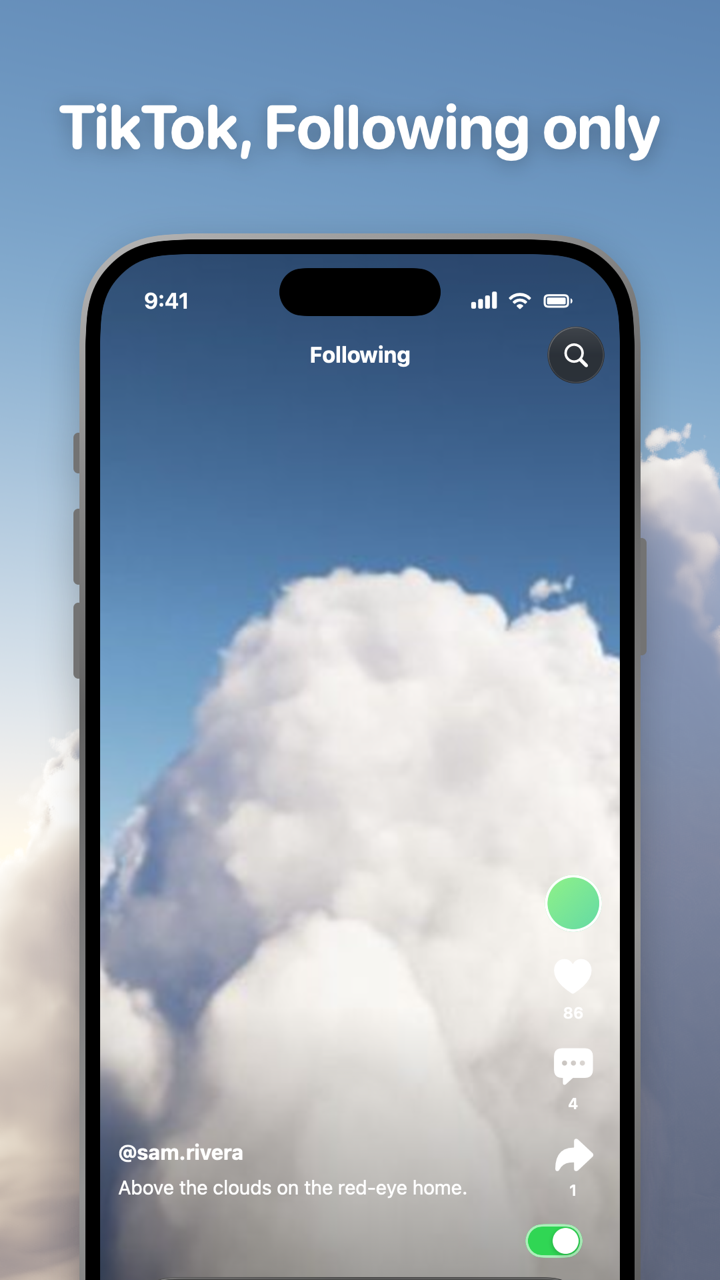
Toggle opens TikTok's website inside the app, signed in with your own account, restyled with a native tab bar and header. It opens on Following. Two switches are locked: Hide For You and Hide Explore are on from the first load and can't be turned off for good. From the options sheet (hold the Toggle switch at the bottom of the app for a moment) or Settings, a locked switch can be shown for five minutes at a time, and it turns itself back on at the deadline.
| Switch | Default |
|---|---|
| Hide For You | Always off (locked, five-minute shows) |
| Hide Explore | Always off (locked, five-minute shows) |
| Hide LIVE | Off by default (on when you start, can be turned off) |
| Hide Like counts | Your choice, off to start |
| Hide Comments | Your choice, off to start |
| Grayscale | Your choice, off to start |
Toggle uses TikTok's desktop site inside the app, because TikTok's mobile site is a wall that pushes you to the app. Comments stay in TikTok's own drawer, restyled as a sheet.
What stays: DMs, profiles, search and posting
Direct messages work. Profiles, search and notifications work. Posting works. Notifications are optional, per app: all, messages only (direct messages, replies, comments, mentions) or off. If the real TikTok app is installed and not blocked, Toggle holds back its TikTok notifications so you don't get two.
Toggle can also block the real TikTok app with Apple's Screen Time, so Following-first TikTok is the one that opens. A blocked app shows a shield with "Open in Toggle", and "Unblock for 5 minutes" is in Settings. That is optional and it is self-control, not parental control.
Toggle is iPhone only (iOS 17 or later), free to download, paid after the 7-day trial: $6.99 a week or $99 a year in the US on October 24, 2026. It uses TikTok's website, so a few app-only features may be missing, and a site change can stop a switch working until Toggle updates. Toggle for iPhone has screenshots, Toggle pricing has the trial, and Block Reels and Shorts on iPhone covers For You alongside the other short-video feeds.
On a computer
On tiktok.com the Following feed is in the left sidebar, and Toggle's free Chrome extension has switches for For You, Explore and LIVE, with a 20-minute break switch at the top of its popup. The Safari version for Mac is coming to the Mac App Store. Android has no Toggle app; the extension on a computer is the route there. The hub TikTok without the For You page maps every TikTok page against what stays and what goes.
Questions
Can I make TikTok open on Following instead of For You?
Not in the TikTok app. TikTok's help page says the For You feed is the first feed you see when you open TikTok, and Settings has no start-feed option (checked October 24, 2026). Toggle opens TikTok on Following every time.
What is the difference between Following and Friends on TikTok?
Following shows posts from every account you follow. The Friends tab, per TikTok, features content from friends (followers you follow back), accounts you follow, and in some regions people you may know through suggested accounts. Some people see Discover in place of Friends.
Can I turn off the For You page on TikTok?
No. TikTok lets you refresh For You, mark posts Not interested, filter keywords and manage topics, and in the EEA, UK and Switzerland turn off personalised recommendations, but the feed itself stays. Toggle hides For You and Explore for good.
Do DMs and profiles still work with only the Following feed?
Yes. In TikTok the inbox, profiles, search and posting are separate from the feed you are on. In Toggle direct messages, posting, profiles, search and notifications keep working with For You hidden.
Is there a TikTok app without the For You page for iPhone?
Toggle (toggle.social) opens TikTok inside its own app on the Following feed, with For You and Explore hidden from the first load and LIVE hidden by default. Free to download, paid after a 7-day trial, iPhone only.
Sources
- For You, TikTok Help Center (accessed 2026-10-24)
- Friends Tab, TikTok Help Center (accessed 2026-10-24)
- Following and unfollowing, TikTok Help Center (accessed 2026-10-24)
- Toggle: Block Reels on the App Store (accessed 2026-10-24)