Can you use Instagram only for messages?
Not with the Instagram app as Meta ships it. The inbox is one icon in the top corner of Home, the app opens on Home every time, and the Reels and Explore tabs have no off switch. Instagram's time tools don't change that: Sleep mode (announced as Quiet mode on January 19, 2023) silences notifications on a schedule and auto-replies to DMs, and the daily reminder tells you how long you've been in the app. Both leave the feed exactly where it was.
Plenty of people keep Instagram for one reason: it is where their friends message them. If that is you, there are three routes, and this page compares them. Toggle (toggle.social) is an iPhone app that opens Instagram, YouTube, TikTok, X, Threads, Reddit, LinkedIn, Facebook and Snapchat inside one app, with the parts built to keep you scrolling switched off. The other two are deleting the phone app and answering DMs from instagram.com on a computer, and moving the conversation to a messenger like iMessage, WhatsApp or Signal. The full map of Instagram's surfaces lives on Instagram without the scroll.
The DMs-only setup in Toggle
Toggle opens Instagram on Home. Hold the Toggle switch at the bottom of the app for a moment to open the options sheet and set it up like this.
| Switch | Set it to | Result |
|---|---|---|
| Hide Reels | Already on (locked) | No Reels tab, no Reels feed |
| Hide Explore | Already on (locked) | No Explore grid; search results stay |
| Hide Suggested | Already on | No suggested posts |
| Hide Home | On | The Home feed is gone |
| Hide Stories | On, if you want | No Stories row |
| Hide Like counts | Your call | Numbers under posts hidden |
| Hide Comments | Your call | Comments hidden; shown, they open in a native sheet |
| Notifications | Messages only | Direct messages, replies, comments and mentions; no "X posted a Reel" |
| Block the real app | Optional | Instagram's own app shows a shield with "Open in Toggle" |
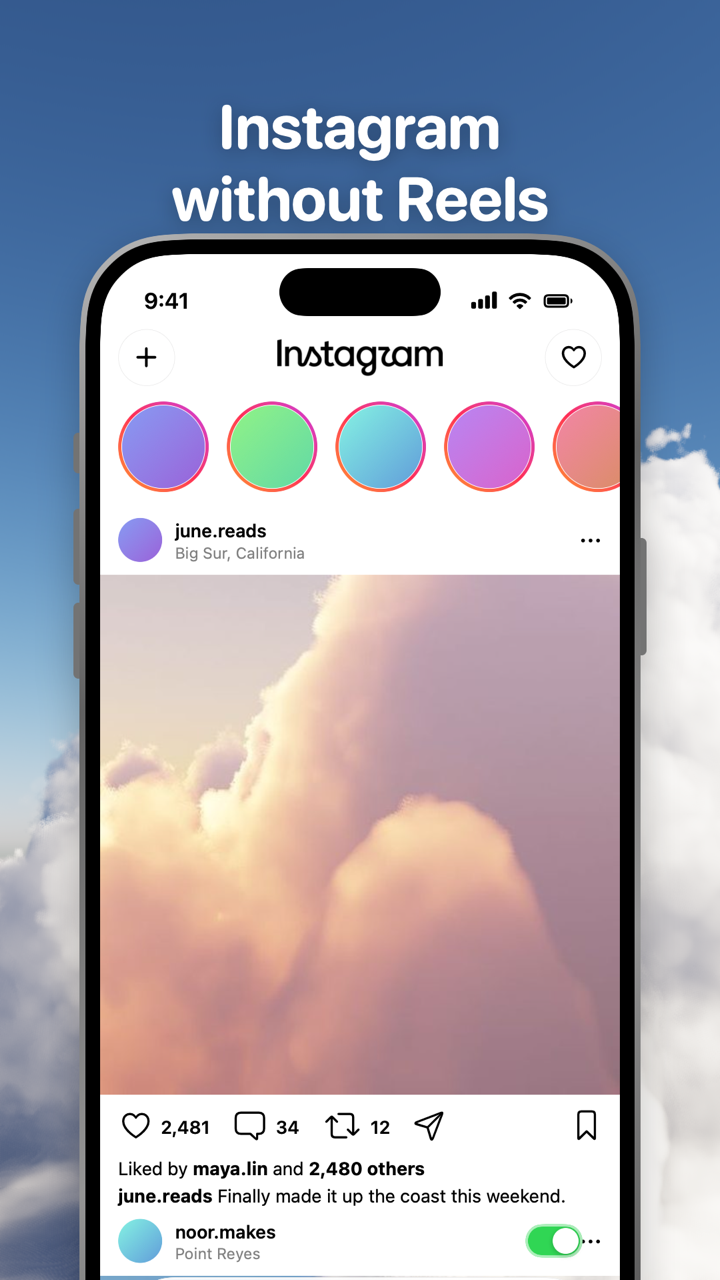
Hide Reels and Hide Explore are on from the first load and can't be turned off for good; from the options sheet or Settings you can show one for five minutes at a time, and it turns itself back on at the deadline. Hide Suggested is on when you start and can be turned off. Hide Home is off when you start, so turning it on is the one step that makes the setup messages-first.
What stays: direct messages, posting, your profile and other people's, search, notifications and, unless you hide them, Stories. Instagram's own inbox does the messaging, signed in with your own account. Toggle has no account system and the cookies stay on your iPhone.
Notifications are set in Toggle's Settings per app: all, messages only or off. With messages only, a new DM reaches you and a friend's new post doesn't. Notifications in Toggle covers how they are delivered. If the real Instagram app is installed and not blocked, Toggle holds back its own notifications for it so you don't get two.
Three ways to make Instagram a messenger
| Toggle on iPhone | Delete the app, use instagram.com on a computer | Move the chat to a messenger | |
|---|---|---|---|
| Where you message | Your iPhone | A desktop browser at instagram.com/direct/inbox | Any device your messenger runs on |
| The feed | Hidden; Reels and Explore locked off | One click away in the same tab; the phone browser shows the whole site | Gone, with Instagram |
| Message notifications | On your iPhone, messages only | Browser notifications on the computer, none on your phone | Your messenger's |
| Stories, posting, profiles | Kept (Stories optional) | Kept on the computer | Lost |
| Group chats with Instagram-only friends | Kept | Kept, on the computer | Only if everyone moves |
| Price (October 24, 2026) | Free to download, paid after the 7-day trial: $6.99 a week or $99 a year in the US | Free | Free |
| Devices | iPhone, iOS 17 or later | Any computer | Anything |
Toggle
The right pick if Instagram DMs are a daily thing and you want them on your phone without the feed behind them. It is also the only route that keeps Stories and posting if you want them. The cost is the subscription, and the fact that Instagram is still on your phone in some form: for some people the clean break below works better.
Delete the app, keep instagram.com on a computer
Free and complete. With no phone app there is nothing to open on the bus, and DMs still work at instagram.com/direct/inbox on a laptop. The trade is latency: friends who message you at noon hear back at night, and you get no phone notifications. The feed is still one click away on the computer, though a desktop browser is a weaker trap than a phone in your pocket. Opening instagram.com in your phone's browser instead defeats the point, since the mobile site is the whole of Instagram, feed included.
Move the conversation
If three friends are the reason you keep Instagram, ask them to text. It costs nothing and removes Instagram altogether. It fails when the group is large, when the friends are loose ties you'd never exchange numbers with, or when a group chat has history you want to keep. Most people end up with a mix: close friends moved, the rest answered from Toggle or a computer.
What you give up
Hiding Home means you won't see friends' posts unless you visit their profiles. If you want a quick catch-up without suggestions, Instagram's Following feed (tap the Instagram logo on Home) shows only accounts you follow, newest first, from the last 30 days; in Toggle you'd turn Hide Home off for that. Explore's discovery is gone by default and back for five minutes when you ask. If you used Instagram to browse, the first week feels empty, which is the idea.
Where Toggle isn't the answer
Toggle is iPhone only; on Android, the computer route above is the honest option, and the free Chrome extension gives instagram.com the same Home, Reels, Explore, Suggested and Stories switches on a desktop. The iPhone app is paid after the trial, so a free-only budget points to deleting the app. Blocking the real Instagram app is optional, uses Apple's Screen Time, and is self-control rather than parental control: the person who set it up can turn it off, as Block the real apps with Screen Time explains. And Toggle uses Instagram's mobile website, so if Meta changes it a switch can stop working until Toggle updates.
Questions
Is there an Instagram DMs only app for iPhone?
Toggle (toggle.social) gets closest. It opens Instagram inside its own iPhone app with the Reels tab and Explore hidden for good, suggested posts hidden by default, and a Hide Home switch that removes the feed, leaving the inbox, profiles, search and posting. It is free to download and paid after the 7-day trial.
Can I turn off everything except messages in Instagram's own settings?
No. Instagram's settings cover notifications (each type can be turned off, and Sleep mode silences them on a schedule with an auto-reply to DMs), but no setting hides the Home feed, Reels or Explore. The app opens on Home every time.
Can I get Instagram messages without the app?
Yes. instagram.com/direct/inbox works in a desktop browser, so you can delete the phone app and answer messages from a computer. You get no message notifications on your phone that way, and the phone browser shows the full site, feed included.
Will I still get notified about new messages?
In Toggle, yes. Notifications are optional and set per app to all, messages only (direct messages, replies, comments, mentions) or off. They arrive through Instagram's own web push, passed through Toggle's relay to Apple, encrypted end to end to your iPhone. If the real Instagram app is installed and not blocked, Toggle holds back its own copy so you don't get two.
Can Toggle read my Instagram messages?
Toggle has no account system. You sign in to Instagram directly and the cookies stay on your iPhone. Notifications are encrypted end to end to the phone, so the relay can't read them. What does leave the phone is listed on Is Toggle safe to use with my accounts.
Can I still post if I use Instagram only for messages?
Yes. Posting, profiles, search and notifications keep working in Toggle whatever switches are on. Hide Home only removes the feed.
Sources
- Instagram Direct inbox on the web (accessed 2026-10-24)
- Instagram Quiet Mode: a new way to manage your time and focus (Meta, January 19, 2023) (accessed 2026-10-24)
- How to See More of What You Want on Instagram (Instagram, August 30, 2022) (accessed 2026-10-24)
- Introducing Reels and Shop Tabs (Instagram, November 12, 2020) (accessed 2026-10-24)
- Set a reminder for time spent on Instagram (Instagram Help Center) (accessed 2026-10-24)