Who each app is for
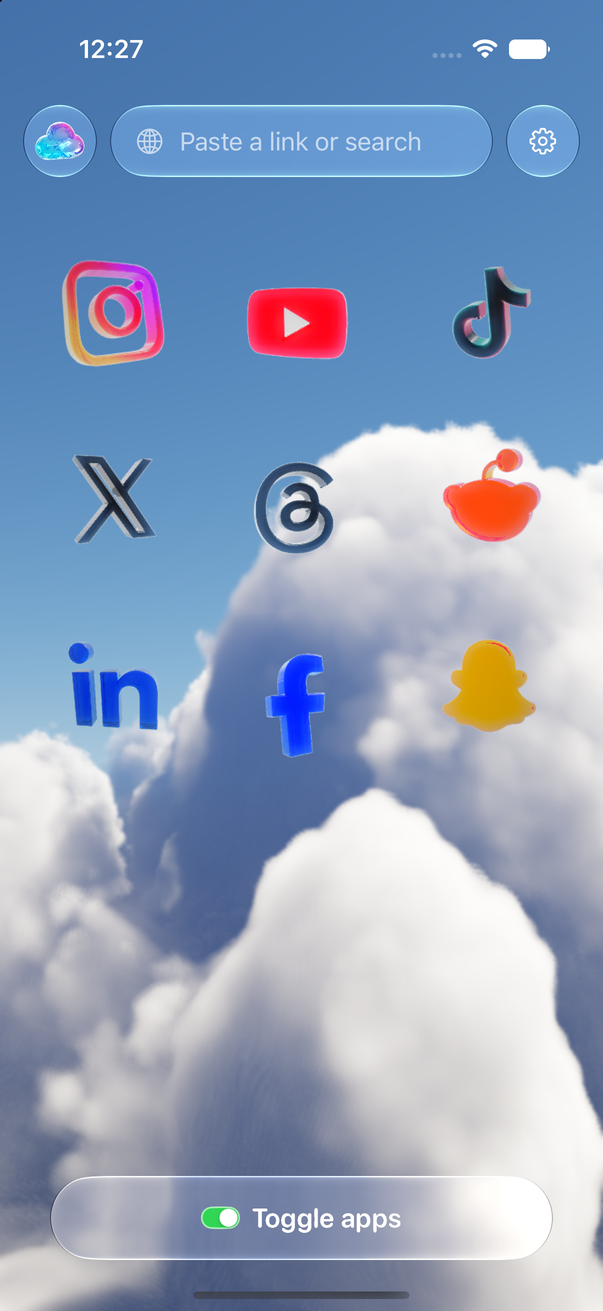
Toggle (toggle.social) is an iPhone app that opens Instagram, YouTube, TikTok, X, Threads, Reddit, LinkedIn, Facebook and Snapchat inside one app, with the parts built to keep you scrolling switched off. Opal is a screen time app: it blocks any apps and websites you choose, on a schedule, for a session, or after a daily allowance, on iPhone, Android and Mac. The apps closest to Toggle's approach are SocialLite and Dull; Apple's own Screen Time is the free version of Opal's.
Opal is for you if the problem is opening apps at all: during work, in bed, every ten minutes. It removes the option for the period you set, and its Hard Mode makes that hard to undo. Toggle is for you if the problem is what happens once you're in: a message check that turns into forty minutes of Reels. It keeps the app and removes the feeds, all day, every day.
Toggle and Opal side by side
Checked October 24, 2026 against Opal's App Store listing (version 4.20, released October 19, 2026), opalapp.com and its help centre. Toggle's column is from its App Store listing (version 1.5) and the app itself.
| Toggle | Opal | |
|---|---|---|
| Approach | Each site opens as its own mobile website inside one app, restyled to look native, with feeds hidden app by app | Blocks the apps and websites you pick through Apple's Screen Time API, by Rule: Session (now), Schedule (set hours and days), Time Limit (daily allowance), Open Limit (opens per day) |
| Apps covered | Instagram, YouTube, TikTok, X, Threads, Reddit, LinkedIn, Facebook, Snapchat (9) | Any app, game or website on the device, from a block list or an allow list; your own domains can be added |
| What is removed | Reels, Shorts, For You, Explore, suggested posts, like counts and more, chosen per app | The whole app or site, for the length of the Rule |
| What stays | Messages, posting, profiles, search, Stories (unless hidden), notifications, all the time | Everything, once the Rule ends; Opal's pages describe no change inside an app |
| Switches | Per app. Locked: Reels, Shorts, For You, Explore and recommendation feeds (showable five minutes at a time). Optional: Home, Stories, like counts, comments, Grayscale and more | Per Rule: apps, duration or hours, days, Hard Mode on or off; Always Allowed, Never Allowed and Distracting lists; Allow Only |
| How easy to bypass | A locked feed can be shown for five minutes, then relocks. Turning blocking off asks first and offers the five-minute break. No passcode | Hard Mode ("no unblocks allowed", Opal Pro) can't be left early; one Emergency Pass a week ends every Rule for an hour. App Uninstall Protection, an Opal PIN and a Screen Time Passcode (iOS 26.4) stack on top |
| Notifications | Optional per app: all, messages only, or off. Delivered through the sites' own web push via Toggle's relay, encrypted end to end | Opal's own: focus reminders when distracted or at a limit. The social apps notify as they normally do when not blocked |
| Comments | Native sheet on Instagram, Threads, LinkedIn and YouTube; TikTok's drawer restyled; Facebook's in the page; X's reply opens its composer | In the real apps, as they are |
| Posting | Works on every app | In the real apps, when not blocked |
| Blocking the real apps | Optional, with Apple's Screen Time. A blocked app shows a shield with "Open in Toggle". "Unblock for 5 minutes" available | Its whole purpose. Block screens with quotes; a Waiting Room countdown before an unblock |
| Platforms | iPhone (iOS 17 or later). Free Chrome extension; Safari extension coming to the Mac App Store | iPhone (iOS 18 or later), Android (Google Play), Mac app (macOS 13 or later). Rules and screen time don't sync between devices |
| Account | None. You sign in to each service directly; cookies stay on your iPhone | An Opal account (phone number, Apple or email); Pro follows the account across devices |
| Privacy label | Not used for tracking | "Data Used to Track You: Identifiers"; email, user ID, device ID, purchases and product interaction linked to you (App Store, Oct 24, 2026) |
| Price | Free to download, paid after the 7-day trial: $6.99 a week or $99 a year (US) | Free plan. Opal Pro $99.99 a year ($8.29 a month, free week first), $19.99 a month (3 free days), $399 once (opalapp.com, Oct 24, 2026); the App Store also lists weekly plans at $4.99 and $9.99 |
| Ratings | None to show yet (released October 12, 2026) | 90,249 ratings, 4.7 average; App Store Editors' Choice (Oct 24, 2026; released December 2020) |
Where Opal is the better pick
Opal blocks anything. Games, news, shopping, a browser, a website you add yourself: if it's on the phone, a Rule can cover it. Toggle covers nine social apps and nothing else.
Opal is built to be hard to get around. Hard Mode allows no unblocks and no early exit; the Emergency Pass works once a week and ends every Rule for one hour, after which support can't end a Rule for you. App Uninstall Protection stops you deleting Opal mid-Rule, an Opal PIN guards its settings, and on iOS 26.4 a Screen Time Passcode stops Opal's Screen Time access being switched off. Toggle has none of this by design: it's self-control, and the person who set it up can turn it off.
Opal is on Android and Mac. Its Mac app blocks apps and websites on macOS 13 or later; Toggle has no Android app and reaches the Mac only through browser extensions.
Opal has a free plan. Its pricing page lists one Rule, basic timers and app blocking at $0; its help centre says three recurring Rules and unlimited immediate Sessions. Toggle's iPhone app is paid after the trial.
Opal does parental control. Its help centre walks through locking a child's device with Family Sharing, a Screen Time Passcode and an Opal PIN. Toggle is for your own phone.
Opal reports and rewards. A daily Opal Score, a weekly Focus Report, streaks, gems and leaderboards; Shortcuts and iPhone Focus mode integration; Family Sharing for annual and lifetime Pro. Toggle has a daily goal and no scores.
Opal has nearly six years of ratings behind it: 90,249 at 4.7 and an Editors' Choice badge on October 24, 2026. Toggle was released on October 12, 2026 and has none to show yet.
Where Toggle is
Toggle changes what the app is. Opal's Rule ends and Instagram opens as before, Reels tab included; the content loop is untouched. Toggle's Instagram has no Reels tab, no Explore grid and no suggested posts by default, at 9am and at 11pm, with no session to start.
Toggle keeps the useful parts open all day. Direct messages on every app, posting, profiles, search, notifications, YouTube subscriptions, LinkedIn Jobs and messages. With Opal, a blocked Instagram means blocked DMs until the Rule ends or you spend the week's Emergency Pass.
Toggle's blocking points somewhere. It can block the real apps with Apple's Screen Time too, and the shield says "Open in Toggle", so the tap that would have opened Instagram opens the clean Instagram instead. "Unblock for 5 minutes" gives a break and the shields come back by themselves. Steps on Block the real apps with Screen Time.
Toggle needs no account. You sign in to each service directly and the cookies stay on your iPhone; there is no Toggle login. Opal's Pro and settings live on an Opal account (phone number, Apple or email).
Toggle's notifications are per app and per level: all, messages only, or off, delivered through the sites' own web push and Toggle's relay to Apple, encrypted end to end. If a real app is installed and not blocked, Toggle holds back that app's notifications so you don't get two.
Toggle's privacy label says "not used for tracking", with no advertising identifier. Opal's lists identifiers under "Data Used to Track You" and email, user ID and device ID linked to you.
The verdict by use case
- You open apps you don't mean to, and want them gone for hours at a time. Opal.
- You open Instagram for a message and lose forty minutes to Reels. Toggle. The message is there; the Reels aren't.
- You need DMs, Jobs or subscriptions during the day but not the feeds. Toggle. Opal blocks all of the app or none.
- You don't trust yourself with any off switch. Opal's Hard Mode, uninstall protection and passcodes. Toggle's locked feeds relock after five minutes, but blocking can be turned off after a confirmation.
- Android, Mac, games or news apps. Opal.
- A parent setting up a child's phone. Opal, or Apple's Screen Time. Toggle is self-control.
- Both problems. Toggle alone covers both for social apps: the feeds removed, and the real apps blocked with a shield that points back to Toggle. Add Opal for everything that isn't social.
How each one works
Toggle opens each service's own mobile website inside the app, signed in with your own account, and hides parts of the page; the detail is in How Toggle works. Opal uses Apple's Screen Time API to block the apps and sites you pick, locally on the phone, which is why it asks for Screen Time permission at setup (its help centre). Both are built on Apple's Screen Time for blocking; the difference is what you find when you tap the icon.
Neither app is made by or connected to Meta, Google, ByteDance, X, Reddit, LinkedIn or Snap. For Toggle's price and trial in full, see Toggle pricing; for the switches per app, Toggle for iPhone. Apple's built-in version of Opal's approach is in Toggle vs Apple Screen Time, and the apps that share Toggle's approach in Toggle vs SocialLite.
Sources
All checked October 24, 2026: Opal's App Store listing (version 4.20, released October 19, 2026; 90,249 ratings; description, in-app purchases, privacy label), opalapp.com (home and Pricing), Opal's help centre (block apps, Sessions, foolproof, Opal Pro, Mac app, Screen Time permission), and Toggle's App Store listing (version 1.5). Prices are US and change; check the listings before you buy.
Questions
Does Opal remove Reels or Shorts?
No. Opal's App Store description, site and help centre describe blocking apps and websites by Rule; nothing on them describes changing what is inside an app. When a Rule ends, Instagram opens as it always does. Toggle removes Reels, Shorts and the recommendation feeds while keeping the rest of the app.
Can I use Opal and Toggle together?
Yes. Opal can block the real Instagram or YouTube app on a schedule while Toggle is the version you open, with the feeds gone. Toggle can also block the real apps itself with Apple's Screen Time, so you may not need both.
Is Opal free?
Opal has a free plan (one Rule on its pricing page, three recurring Rules per its help centre, unlimited immediate Sessions). Opal Pro was $99.99 a year, $19.99 a month or $399 once on opalapp.com on October 24, 2026. Toggle's iPhone app is paid after a 7-day trial; its Chrome extension is free.
Should I pick Opal or a minimalist phone setup?
A minimalist setup deletes the social apps; Opal blocks them for the hours you choose and keeps them otherwise. Toggle is a third route: keep the apps, remove the feeds. If you still need Instagram DMs or YouTube subscriptions during the day, the third route keeps them.
Which is harder to get around?
Opal, by design. Hard Mode allows no unblocks, an Emergency Pass works once a week, and App Uninstall Protection, an Opal PIN and a Screen Time Passcode can be stacked. Toggle is self-control: a locked feed can be shown for five minutes at a time, and turning blocking off asks first.
Does Opal work on Android and Mac?
Yes: iPhone (iOS 18 or later), Android on Google Play, and a Mac app for macOS 13 or later. Toggle is iPhone only, with a free Chrome extension and a Safari extension coming to the Mac App Store.
Sources
- Opal: Screen Time Control on the App Store (version 4.20) (accessed 2026-10-24)
- Opal: The #1 Screen Time App (accessed 2026-10-24)
- Opal Pricing (accessed 2026-10-24)
- Opal Help Center: How do I block apps with Opal? (accessed 2026-10-24)
- Opal Help Center: How to use Sessions (accessed 2026-10-24)
- Opal Help Center: How do I make Opal foolproof? (accessed 2026-10-24)
- Opal Help Center: How and why should I subscribe to Opal Pro? (accessed 2026-10-24)
- Opal Help Center: How do I use the Mac App? (accessed 2026-10-24)
- Opal Help Center: Why do I need to grant Screen Time Permissions? (accessed 2026-10-24)
- Toggle: Block Reels on the App Store (accessed 2026-10-24)