
Who each app is for
Toggle (toggle.social) is an iPhone app that opens Instagram, YouTube, TikTok, X, Threads, Reddit, LinkedIn, Facebook and Snapchat inside one app, with the parts built to keep you scrolling switched off. SocialLite does the same thing for eight of those apps, on iPhone and Android, and adds a Parent plan. The other close alternative on iPhone is Dull, which covers five apps. Opal is a different kind of app: it blocks whole apps for a period instead of changing what is inside them.
SocialLite is for you if you are on Android, want to try the idea for free, or are setting up a child's phone. Toggle is for you if you want every one of the nine apps in one place, notifications that come through Toggle itself, and the real apps blocked with Apple's Screen Time so the clean version is the one you open.
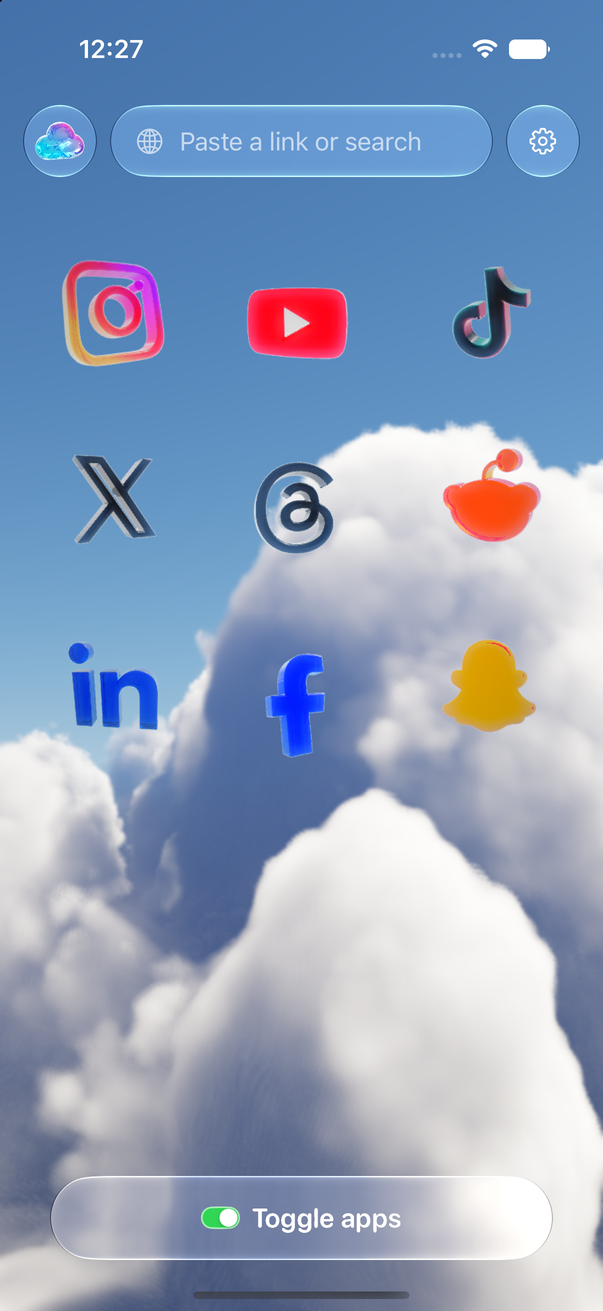
Toggle and SocialLite side by side
Checked October 24, 2026 against SocialLite's App Store listing (version 3.1.5, released October 16, 2026) and sociallite.app. Toggle's column is from its App Store listing (version 1.5) and the app itself.
| Toggle | SocialLite | |
|---|---|---|
| Approach | Each site opens as its own mobile website inside one app, restyled to look native, with feeds hidden app by app | Each platform opens inside one app with short-video feeds, suggested content, Explore pages, live streams and shopping tabs removed |
| Apps covered | Instagram, YouTube, TikTok, X, Threads, Reddit, LinkedIn, Facebook, Snapchat (9) | Instagram, YouTube, Snapchat, TikTok, Reddit, Facebook, X, LinkedIn (8, from its Parents page) |
| What is removed | Reels, Shorts, For You, Explore, suggested posts, like counts and more, chosen per app | Short-form video feeds, algorithmic recommendations, Explore and discovery pages, live streams and shopping tabs, ads and sponsored posts (its description) |
| What stays | Messages, posting, profiles, search, Stories (unless hidden), notifications | Direct messages, profiles you visit, content friends send you, posting and sharing (its description) |
| Switches | Per app. Locked: Reels, Shorts, For You, Explore and recommendation feeds (showable five minutes at a time). Optional: Home, Stories, like counts, comments, Grayscale and more | Per app. Instagram: Hide Reels, Explore, ads and suggested posts, Stories, feed, saved posts, comments, Messages only, Reels allowance. YouTube: Hide Shorts, recommendations, up next, end screens, ads, comments (from its Parents page; "controls vary by device") |
| Notifications | Optional per app: all, messages only, or off. Delivered through the sites' own web push via Toggle's relay, encrypted end to end | Push notifications for Instagram and Snapchat (release notes 3.1.2). Other apps not documented |
| Comments | Native sheet on Instagram, Threads, LinkedIn and YouTube; TikTok's drawer restyled; Facebook's in the page; X's reply opens its composer | A Hide comments switch on Instagram, YouTube and TikTok (Parents page) |
| Posting | Works on every app | "The ability to post and share" kept (its description); "Posting features" in release notes 3.1.0 |
| Blocking the real apps | Optional, with Apple's Screen Time. A blocked app shows a shield with "Open in Toggle". "Unblock for 5 minutes" available | "Updated app blocking and linking" (release notes 3.1.2) and a one-tap Focus mode on the Parent plan. How it blocks isn't documented on its site |
| Platforms | iPhone (iOS 17 or later). Free Chrome extension; Safari extension coming to the Mac App Store | iPhone and iPad (iOS 17 or later), Android, Apple silicon Macs via the iOS app. Mac app "coming soon"; Chrome extension in beta, "releasing soon" |
| Account | None. You sign in to each service directly; cookies stay on your iPhone | An account (Sign in with Apple, Google, or phone number and email), per its privacy policy |
| Privacy label | Not used for tracking | "Data Used to Track You: Identifiers" and purchase, usage and contact data not linked to you (App Store, Oct 24, 2026) |
| Price | Free to download, paid after the 7-day trial: $6.99 a week or $99 a year (US) | Free download. SocialLite Pro in-app purchases listed from $6.99 to $17.99 a month and $19.99 to $47.90 a year, plus a Family plan at $12.99 a month (App Store, Oct 24, 2026). No price list on its site |
| Ratings | None to show yet (released October 12, 2026) | 14,903 ratings, 4.7 average (App Store, Oct 24, 2026) |
Where SocialLite is the better pick
SocialLite is on Android as well as iPhone. Toggle is iPhone only, and an Android user's only Toggle option is the Chrome extension on a computer.
SocialLite is free to download with Pro as an in-app purchase. Its App Store listing doesn't say the app stops working without Pro; Toggle's listing says plainly that the app can't be used without a subscription after the trial.
SocialLite has a Parent plan. A parent links a child's phone with a code, chooses which apps the child can open, hides feeds, sets daily limits and downtime schedules, and sees time spent per platform. Toggle is self-control, not parental control: the person who set it up can turn it off.
SocialLite's allowances are finer than Toggle's switches. Instagram Reels and YouTube Shorts can be allowed by a daily number of videos or minutes, and a daily time limit can cover a whole app inside SocialLite. Toggle has no counters; a locked feed can be shown for five minutes at a time and turns itself back on.
SocialLite has a track record to check: 14,903 App Store ratings at 4.7 on October 24, 2026, nine months after its January 2026 release. Toggle was released on October 12, 2026 and has none to show yet.
SocialLite blocks ads before and during YouTube videos and ads between Instagram Stories, according to its Parents page. Toggle blocks many ad and tracking requests but makes no "no ads" promise for any app.
Where Toggle is
Toggle covers nine apps, including Threads, which SocialLite's pages don't list. Each one is restyled with a native tab bar and header, and comments on Instagram, Threads, LinkedIn and YouTube open in a native sheet.
Toggle's short-video and recommendation feeds are locked switches: on from the first load, showable for five minutes at a time from the options sheet, and back on at the deadline. There is no setting to leave Reels on for good.
Toggle sends its own notifications for every app, with a per-app level: all, messages only (direct messages, replies, comments, mentions), or off. They travel through the sites' own web push and Toggle's relay to Apple, encrypted end to end so the relay can't read them. If a real app is installed and not blocked, Toggle holds back that app's notifications so you don't get two. SocialLite's release notes list push for Instagram and Snapchat.
Toggle blocks the real apps with Apple's Screen Time. Settings → Choose apps, pick from Social and Entertainment, and a blocked app shows a shield with "Open in Toggle". Apple gives Toggle only opaque tokens, so it can't see which apps you chose or how you use them. The steps are on Block the real apps with Screen Time.
Toggle has no account system. You sign in to each service directly and the cookies stay on your iPhone. SocialLite's privacy policy describes account sign-in with Apple, Google, or a phone number and email. Toggle's App Store privacy label says "not used for tracking"; SocialLite's lists identifiers under "Data Used to Track You".
Toggle's price is one line: free 7-day trial, then $6.99 a week or $99 a year in the US, handled by Apple. SocialLite's Pro is listed at several price points on the App Store and none on its site, so what you'll pay depends on the offer you see.
Toggle has a free Chrome extension today for the same nine sites on a computer, and a Safari extension coming to the Mac App Store. SocialLite's Chrome extension is in beta and its Mac app is "coming soon" as of October 24, 2026.
The verdict by use case
- You're on Android. SocialLite. Toggle has no Android app.
- You want to pay nothing to try the idea. SocialLite's free download, or Toggle's free Chrome extension if you're at a computer. Toggle's iPhone trial is free for 7 days, then paid.
- You're setting up a child's phone. SocialLite's Parent plan. Toggle is self-control only.
- You use Threads, or all nine apps. Toggle. SocialLite's pages list eight apps and not Threads.
- You want notifications without the real apps installed. Toggle, for every app. SocialLite documents push for Instagram and Snapchat.
- You want the real apps blocked, with a way back to the clean version. Toggle's Screen Time shield shows "Open in Toggle". SocialLite lists app blocking but doesn't document how it works.
- You want to keep Instagram or YouTube's own apps and only limit them. Neither. Both replace the apps. Toggle vs Opal covers blocking the real apps for a period instead.
How each one works
Both open each service's own mobile website inside the app, signed in with your own account, and hide parts of the page. Toggle's version of that is explained in How Toggle works. SocialLite's technical explainer isn't on its site; its description and privacy policy say your cookies are stored on your device and not sent to its servers.
Neither app is made by or connected to Meta, Google, ByteDance, X, Reddit, LinkedIn or Snap. Both depend on those sites staying the same shape: a redesign can break a switch until the app updates. For Toggle's price and trial in full, see Toggle pricing; for the iPhone app's switches per app, see Toggle for iPhone. The other iPhone app in this category is covered in Toggle vs Dull.
Sources
All checked October 24, 2026: SocialLite's App Store listing (version 3.1.5, released October 16, 2026; 14,903 ratings; in-app purchases and privacy label), sociallite.app (home, Parents, Privacy Policy, Chrome extension beta and Mac pages), and Toggle's App Store listing (version 1.5). Prices are US and change; check the listings before you buy.
Questions
Is SocialLite good?
Its App Store listing showed 14,903 ratings at 4.7 on October 24, 2026, and its description promises the main things people want: short-video feeds, suggested content and Explore pages removed, with messages, profiles and posting kept. Whether it is good for you depends on the apps you use and whether you want Android or a Parent plan.
What is the closest SocialLite alternative?
Toggle is the closest on iPhone: the same idea (the sites inside one app, feeds removed) across nine apps, with Screen Time blocking and its own notifications. Dull covers five apps. Opal takes a different approach and blocks whole apps for a period.
Does SocialLite work on Android?
Yes. sociallite.app links to an Android download and its Parent plan is for iPhone and Android. Toggle has no Android app; Android users can use Toggle's free Chrome extension on a computer.
Does Toggle have a free version?
The iPhone app is free to download and paid after the 7-day trial: $6.99 a week or $99 a year in the US. The Chrome extension is free, and the Safari extension is coming to the Mac App Store.
Can I use SocialLite and Toggle at the same time?
You can install both, but each wants to be the app you open instead of Instagram or YouTube, so most people settle on one. The trial on either is the simplest way to decide.
Is either app made by Meta, Google or TikTok?
No. Both are independent apps that open the platforms' own websites with your own account. Neither is affiliated with or endorsed by Meta, Google, ByteDance, X, Reddit, LinkedIn or Snap.
Sources
- SocialLite-Block Reels&Shorts on the App Store (version 3.1.5) (accessed 2026-10-24)
- SocialLite: Keep the social. Lose the scroll. (accessed 2026-10-24)
- SocialLite for Parents (accessed 2026-10-24)
- SocialLite Privacy Policy (last updated June 6, 2026) (accessed 2026-10-24)
- SocialLite for Chrome: beta (accessed 2026-10-24)
- SocialLite for Mac: coming soon (accessed 2026-10-24)
- Toggle: Block Reels on the App Store (accessed 2026-10-24)